Quick answer
Mount the VNM Shifter, Handbrake V1.5, and 3-Pedal Set to your rig, connect via USB, and configure each device in your sim racing software for a complete, professional-grade control setup.
Why the VNM Bundle Works as a Cohesive System
The VNM Simulation Complete Control Bundle includes the VNM Shifter (H-pattern and sequential), Handbrake V1.5, and 3-Pedal Set—all designed to work together without compatibility issues. Because they share the same mounting hardware and USB interface, you can install them in one session rather than piecing together parts from different brands.
Mounting Considerations Before You Start
Each component requires a stable mounting point on your sim rig. The shifter and handbrake need a horizontal or vertical plate, while the pedal set mounts to the pedal deck. Check that your rig has enough space and the right bolt pattern—most aluminum profile rigs work, but verify the included hardware fits your specific chassis.
Step-by-step setup guide
- Mount the VNM Shifter: Attach the shifter to your rig's shifter mount using the provided bolts. Align the base plate so the H-pattern gates face you. Tighten firmly but avoid over-torquing the bolts. Common mistake: Mounting the shifter too far forward or angled, which makes gear changes awkward. Test reach before final tightening.
- Install the Handbrake V1.5: Position the handbrake next to the shifter on the same mounting plate or a separate bracket. Secure with the supplied hardware. Ensure the lever moves freely without hitting the shifter or rig frame. Checkpoint: The handbrake should sit at a comfortable arm's reach—too close to the shifter can cause accidental pulls during racing.
- Mount the 3-Pedal Set: Place the pedal set on the pedal deck of your rig. Adjust the pedal faces to your preferred spacing and angle using the included adjustment screws. Secure the base plate to the deck with bolts. Common mistake: Not leaving enough heel room between the throttle and brake pedals, which can cause foot fatigue. Adjust spacing before tightening fully.
- Connect USB and Power: Plug each component into separate USB ports on your PC (do not use a hub for all three). The shifter, handbrake, and pedals each draw power and data independently. Windows should detect them as separate game controllers. Checkpoint: If a device isn't recognized, try a different USB port or restart the PC. Avoid using front-panel USB 2.0 ports—use rear USB 3.0 ports for stable connection.
- Configure in Sim Racing Software: Open your sim title's control settings (e.g., Assetto Corsa, iRacing, rFactor 2). Assign each axis and button: shifter gears, handbrake pull, and pedal inputs (throttle, brake, clutch). Set deadzones to eliminate accidental inputs. Common mistake: Forgetting to calibrate the handbrake axis—many sims treat it as a button, not an analog input. Check the game's control scheme and set it as a handbrake axis if available.
- Test and Fine-Tune: Run a few laps in a practice session. Adjust pedal pressure sensitivity and shifter gate feel in the game's settings. If the handbrake feels too sensitive, reduce the axis range or add a small deadzone. Checkpoint: If the shifter misses gears, check the mounting bolts—a loose shifter can cause missed shifts. Re-tighten and test again.
Product facts
-
VNM Simulation Complete Control Bundle – Shifter, Handbrake V1.5 & 3-Pedal Set: The bundle includes the VNM Shifter (H-pattern manual or sequential), Handbrake V1.5, and 3-Pedal Set—all from one manufacturer. You avoid driver conflicts and mounting mismatches that often occur when mixing brands, saving setup time and ensuring consistent feel across controls.
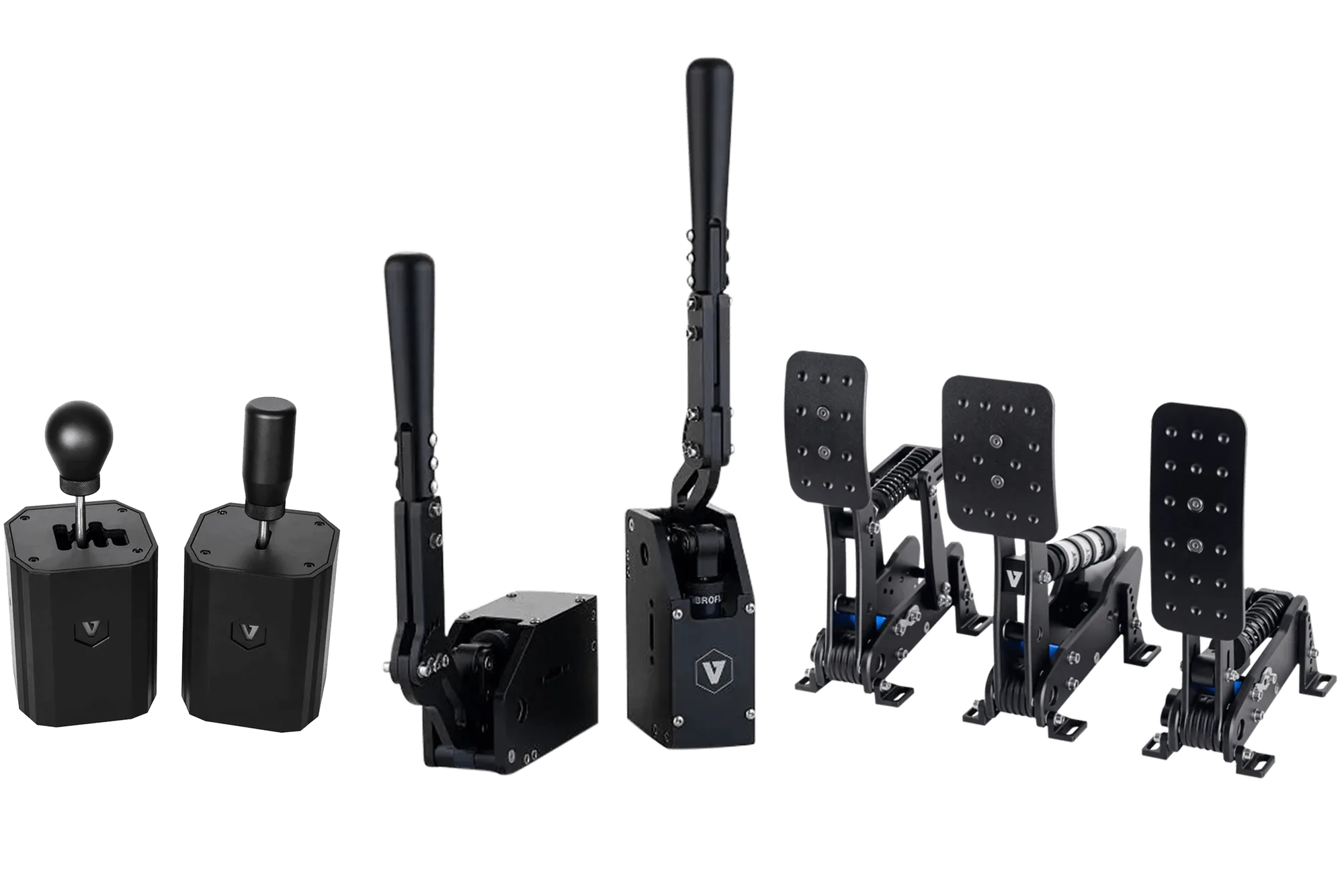
VNM Simulation Complete Control Bundle – Shifter, Handbrake V1.5 & 3-Pedal Set