Quick answer
Set up your 12" beam expander for mechanical phase shifting by securing the expander on a stable table, aligning the mux cube, and calibrating the phase shifter to the interferometer's reference beam.
Why setup precision matters for mechanical phase shifting
Mechanical phase shifting relies on precise, repeatable movement of the reference surface. A misaligned beam expander introduces wavefront errors that degrade measurement accuracy, especially with large apertures. The 12" beam expander requires a stable 4' x 10' x 1' table to support its size and the mux cube.
Unlike dynamic phase shifting, mechanical phase shifting uses a physical stage to move the reference. This means any vibration or tilt in the expander mount directly affects phase steps. Taking time to level and secure the components pays off in cleaner interferograms.
Step-by-step setup process
- Prepare the optical table: Clear a 4' x 10' x 1' table area. Ensure the surface is level and free of vibration sources. Mount the beam expander base plate securely using the provided bolt pattern. Common mistake: using a smaller table. The mux cube and expander need the full footprint to avoid cable strain and misalignment.
- Install the mux cube: Attach the mux cube to the expander's input port. Align the cube so that the beam from the interferometer enters at the correct angle (typically 45 degrees). Tighten the locking screws evenly. Check that the cube's output face is parallel to the expander axis; a tilt here will skew the entire downstream alignment.
- Connect the interferometer: Position the interferometer (Verifire, Verifire HD/HDX, or Dynafiz) so its output beam enters the mux cube. Use the interferometer's built-in alignment laser to center the beam on the cube's input aperture. If the beam is off-center, the expander will clip the wavefront, causing diffraction artifacts. Adjust the interferometer height and tilt until the laser spot is centered.
- Align the mechanical phase shifter: Attach the phase shifting stage to the reference flat mount. Connect the stage controller to the interferometer's phase-shift trigger output. Perform a short stroke test (e.g., 5 steps) to verify smooth, repeatable motion. A sticking or uneven stage will produce phase step errors. Listen for mechanical noise and watch for non-uniform fringe motion during the test.
- Calibrate the phase shift: Use the interferometer software's calibration routine to measure the actual phase step size. Adjust the stage drive voltage or step count until the measured step matches the intended value (e.g., 90 degrees per step for a 4-bucket algorithm). Do not skip this step: mechanical stages drift with temperature. Recalibrate if the lab temperature changes by more than 2°C.
- Perform a verification measurement: Place a calibrated reference flat in the test beam. Run a full phase-shifting measurement and compare the result to the known surface figure. The RMS deviation should be within the interferometer's specified repeatability. If the deviation is large, recheck the beam expander alignment and phase shifter calibration before troubleshooting other components.
Product facts
-
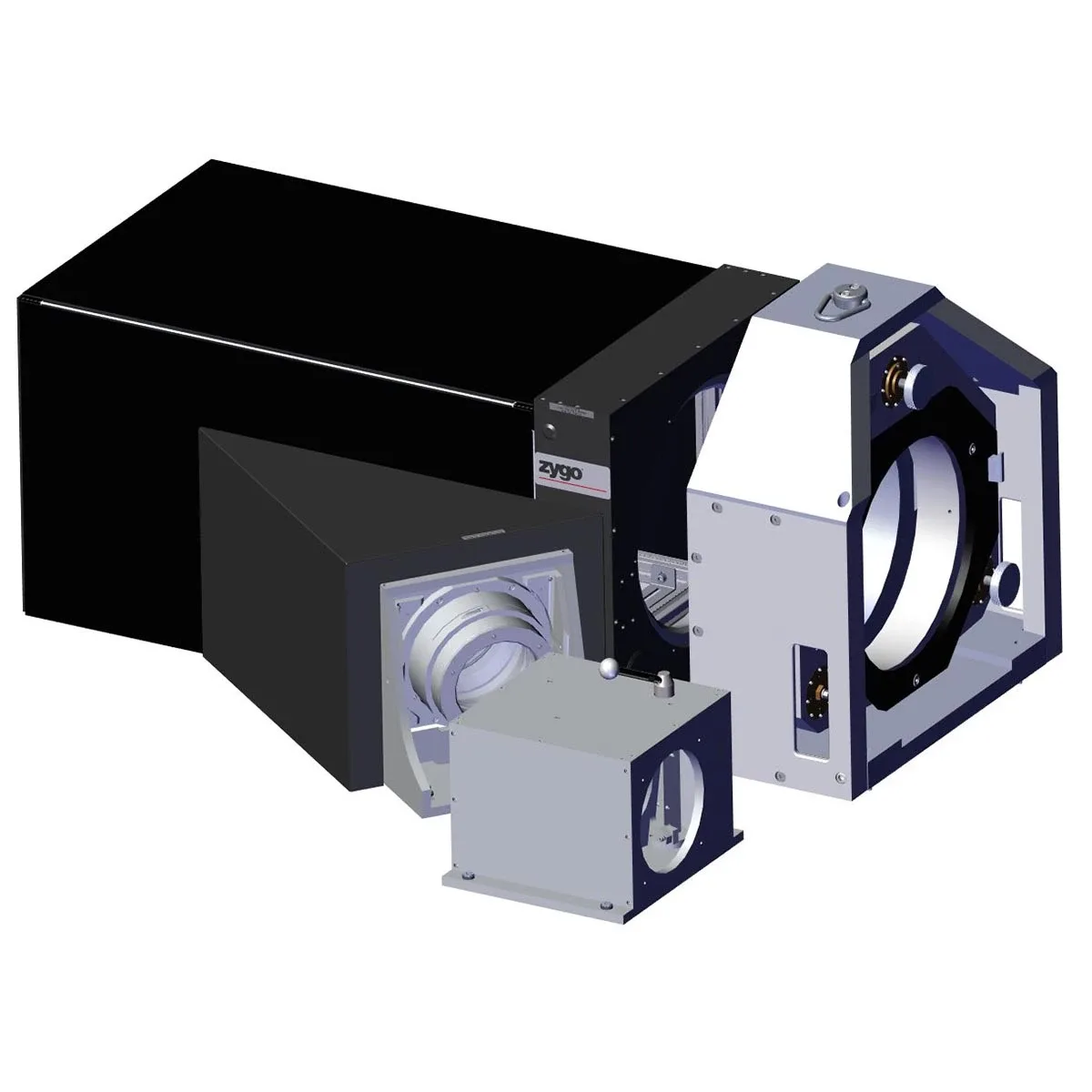
12" Beam Expander- Mechanical Phase Shifting: 12" Beam Expander for mechanical phase measurement. Compatible with Verifire, Verifire HD/HDX and Dynafiz. Includes mux cube (requires 4' x 10' x 1' table). This expander is designed specifically for mechanical phase shifting on large aperture interferometers, and the included mux cube simplifies beam routing but demands a large, stable work surface.
12" Beam Expander- Mechanical Phase Shifting