Quick answer
The Retro-bit Origin8 2.4G Wireless Controller pairs instantly with original NES hardware via the included USB receiver and connects to Switch, PC, or Mac over USB. No software or drivers are required for basic play.
What makes the Origin8 different from a standard NES controller
The Retro-bit Origin8 takes the classic NES shape but adds four shoulder buttons, Home and Screenshot buttons, and Turbo switches. That means it works natively with modern platforms like Switch and PC without losing the retro feel. On original NES hardware, the extra buttons are inactive, so you get a familiar experience with wireless freedom.
Before you start: check your platform
The Origin8 uses a 2.4G wireless connection for NES and a wired USB connection for Switch, PC, and Mac. Make sure you have the correct cable or receiver handy. The controller comes with a USB-A to USB-C cable and a 2.4G receiver that plugs into the NES controller port.
How to connect the Retro-bit Origin8 to NES, Switch, PC, and Mac
- 1. Connect to original NES hardware: Plug the included 2.4G receiver into either controller port on the front of the NES. Turn on the NES. Press and hold the Start button on the Origin8 for 2 seconds to power it on. The controller will sync automatically within a few seconds. If the controller does not sync, remove the receiver, wait 10 seconds, reinsert it, and power the controller off and on again.
- 2. Connect to Nintendo Switch: Use the included USB-A to USB-C cable to connect the Origin8 to a USB port on the Switch dock. The controller is recognized as a wired USB controller. No pairing via the Switch system menu is needed. The Home and Screenshot buttons work on Switch, but the controller is wired only—there is no wireless mode for Switch.
- 3. Connect to PC or Mac: Plug the Origin8 into any USB-A port on your computer using the included cable. Windows and macOS detect it as a standard game controller. In most emulators and modern games, it works immediately without additional drivers. If a game does not respond, check your OS game controller settings to verify the controller is listed and test button mapping.
Product facts
-
Retro-bit Origin8 2.4G Wireless Controller for NES / Switch / PC / Mac - GB Grey: Retro-Bit’s Platinum Collection of retro-inspired controllers has arrived in the 8-bit era with the Origin8. It takes inspiration from the classic NES era of gaming but is re-engineered to accommodate 4-shoulder buttons, Home, and Screenshot buttons. This means you can use one controller for both retro NES gaming and modern Switch or PC titles without sacrificing the classic feel.
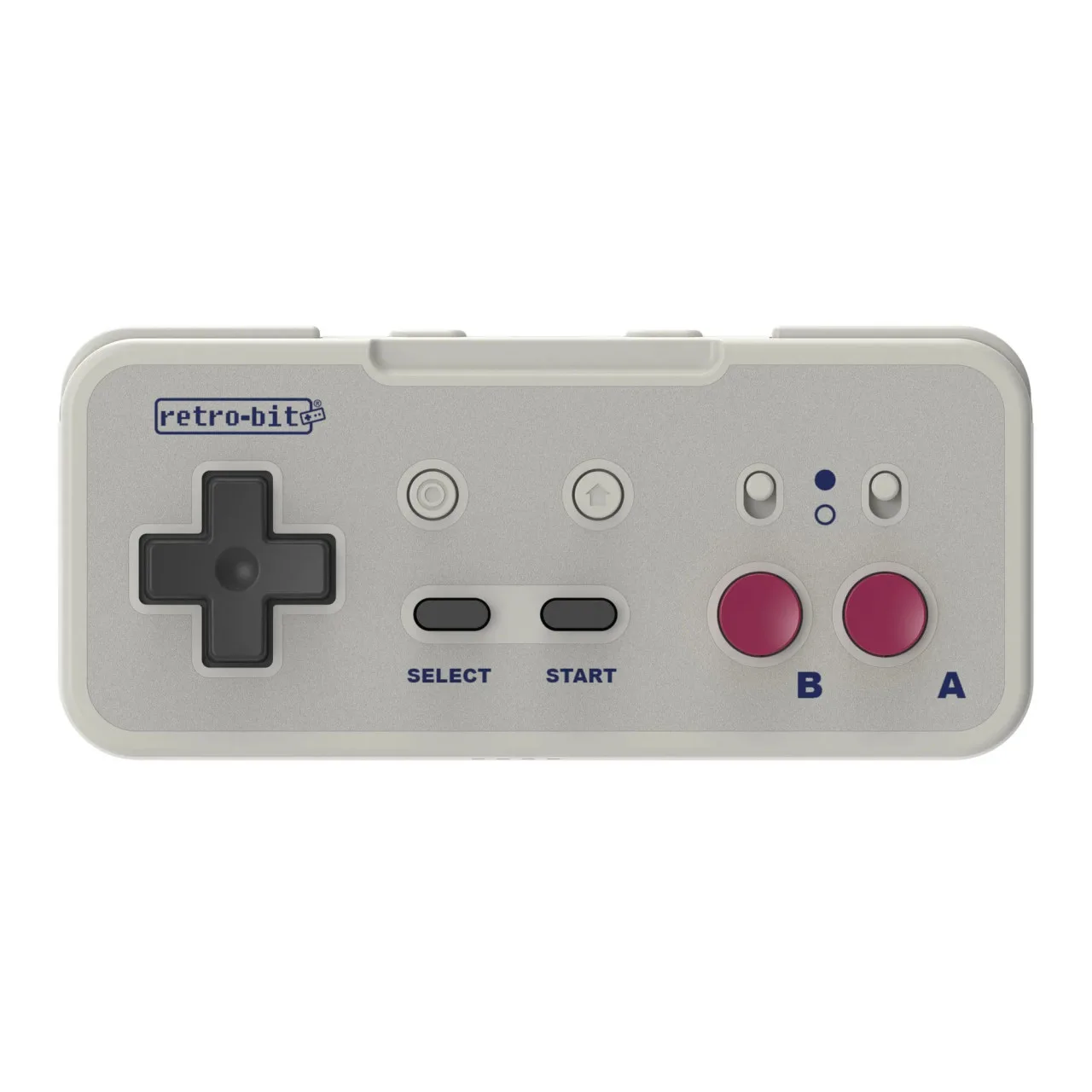
Retro-bit Origin8 2.4G Wireless Controller for NES / Switch / PC / Mac - GB Grey