Quick answer
Set up your MiiR Digital Coffee Scale by calibrating it on a flat surface, then use the tare function and built-in timer to measure coffee and water by weight for a consistent brew ratio.
Why weight beats volume for coffee
Coffee beans vary in density depending on roast level and origin. A scoop of dark roast weighs less than the same scoop of light roast, so measuring by volume gives inconsistent results. Using a digital scale that reads in grams lets you replicate your favorite recipe every time, regardless of the bean.
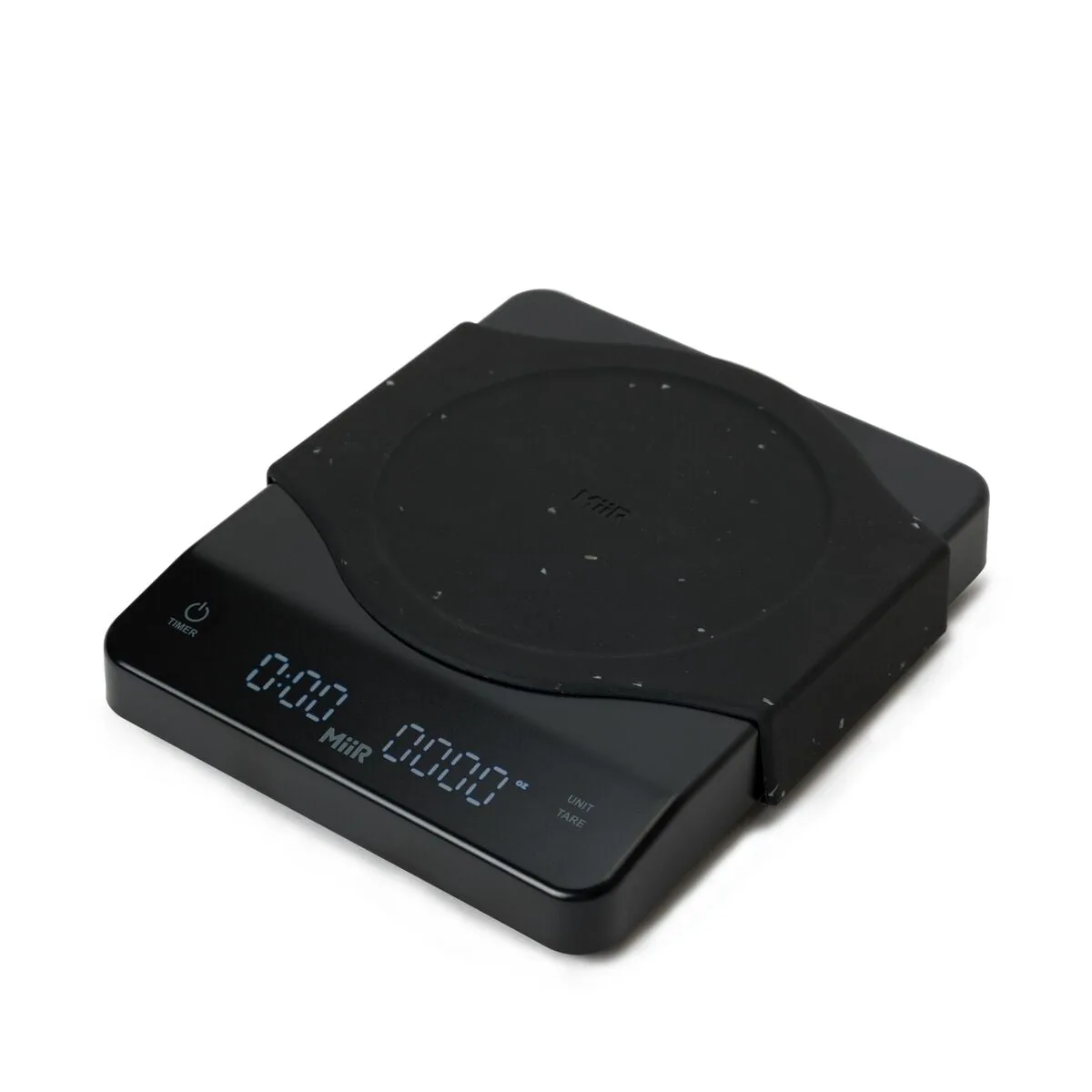
The MiiR Digital Coffee Scale measures in grams, milliliters, and ounces, so you can follow any recipe without converting units. It also includes a built-in timer, which is essential for controlling brew time during pour-over and other manual methods.
Limitations to know
The MiiR Digital Coffee Scale does not include an auto-timer feature that starts when water hits the scale. You will need to start the timer manually at the start of your pour. This is common on scales in this price range, but worth noting if you are used to a pricier barista scale with auto-start.
The scale runs on batteries (included) and does not have a rechargeable battery or USB-C port. Keep spare batteries handy if you brew frequently away from home.
How to set up and brew with the MiiR Digital Coffee Scale
- 1. Place the scale on a flat, stable surface: Set the scale on a level counter away from drafts or vibrations. Press the power button to turn it on. Wait for the display to show 0.0 before proceeding. An uneven surface can cause the reading to drift. Always zero the scale after moving it.
- 2. Tare your brewing vessel: Place your empty pour-over dripper, carafe, or mug on the scale. Press the tare button to reset the display to zero. This ensures you only measure the coffee and water, not the container. Forgetting to tare after adding the vessel is the most common mistake. The scale remembers the tare until you turn it off or press tare again.
- 3. Weigh your coffee beans: Add whole coffee beans to your grinder until the scale shows your target weight. For a standard pour-over, start with a 1:16 coffee-to-water ratio — for example, 22 grams of coffee for 350 grams of water. Adjust to taste after your first brew. Grind size matters as much as weight. For pour-over, aim for a medium-fine grind similar to table salt.
- 4. Start the timer and begin your pour: Press the timer button as you start pouring hot water. Use the scale display to track both the water weight and the elapsed time. Pour in stages: a 30-second bloom (about twice the coffee weight in water), then the rest in slow, circular pours. Do not rely on the timer alone — watch the weight too. Stopping at your target water weight prevents over-extraction.
- 5. Finish and clean up: Once you reach your target water weight and brew time (typically 2:30 to 3:30 total), remove the dripper. Press the timer button to stop it. Wipe the scale with a damp cloth — do not submerge it in water. The scale is not waterproof. Spills can damage the internal electronics, so dry it promptly.
Product used in this guide
-
Digital Coffee Scale: The MiiR Digital Coffee Scale measures in grams, milliliters, and ounces and includes a built-in timer. You can weigh coffee and water in the unit your recipe calls for and track brew time without a separate timer.
Digital Coffee Scale