Quick answer
To fit a 3D printed TPU case on your Miyoo Mini, align the case with the console's edges and press firmly from the corners inward until it snaps into place. Avoid forcing the case over buttons or ports.
Why a TPU case fits differently than a hard shell
Unlike rigid hard shells that clip on or slide over the device, a TPU case is flexible and relies on a snug friction fit. The 3D printed TPU material is strong yet flexible, so it will stretch slightly as you install it, then return to shape for a secure hold. This means you should not expect a loose slip-on—some gentle pressure is normal.
Step-by-step installation guide
- Step 1: Clean your Miyoo Mini: Wipe the console with a dry microfiber cloth to remove dust, oil, or debris. Any particles trapped under the case can scratch the surface over time. Skip this step and you may see fine scratches after a few weeks of use.
- Step 2: Identify the top and bottom of the case: Hold the case so the cutouts for the screen, buttons, and USB port match your console's layout. The 3D printed design has distinct openings for the shoulder buttons and headphone jack—use those as landmarks. Installing the case upside down is the most common mistake; check the cutouts before pressing.
- Step 3: Start from the top edge: Align the top of the Miyoo Mini with the corresponding edge of the case. Press the console into the case starting at the top, then work your way down. The TPU material will flex slightly—this is normal. Pressing from the middle first can misalign the corners; always start at one edge.
- Step 4: Snap the corners into place: Once the top edge is seated, press each corner firmly but gently. You should hear or feel a soft click as the case wraps around the console. Do not use tools or excessive force. If a corner won't seat, remove the case and check for debris or misalignment—do not force it.
- Step 5: Check button and port access: Press each button and plug in a headphone jack or charging cable to confirm the cutouts align. The case should not interfere with any controls or ports. If a button feels stiff, the case may be twisted; lift the nearest corner and reseat it.
Product used in this guide
-
3D Printed Protective TPU Case for Miyoo Mini: Custom-designed for the Miyoo Mini, ensuring a snug and secure fit for optimal protection. You won't need to trim or modify the case—it contours precisely to the console's shape, so alignment is straightforward.
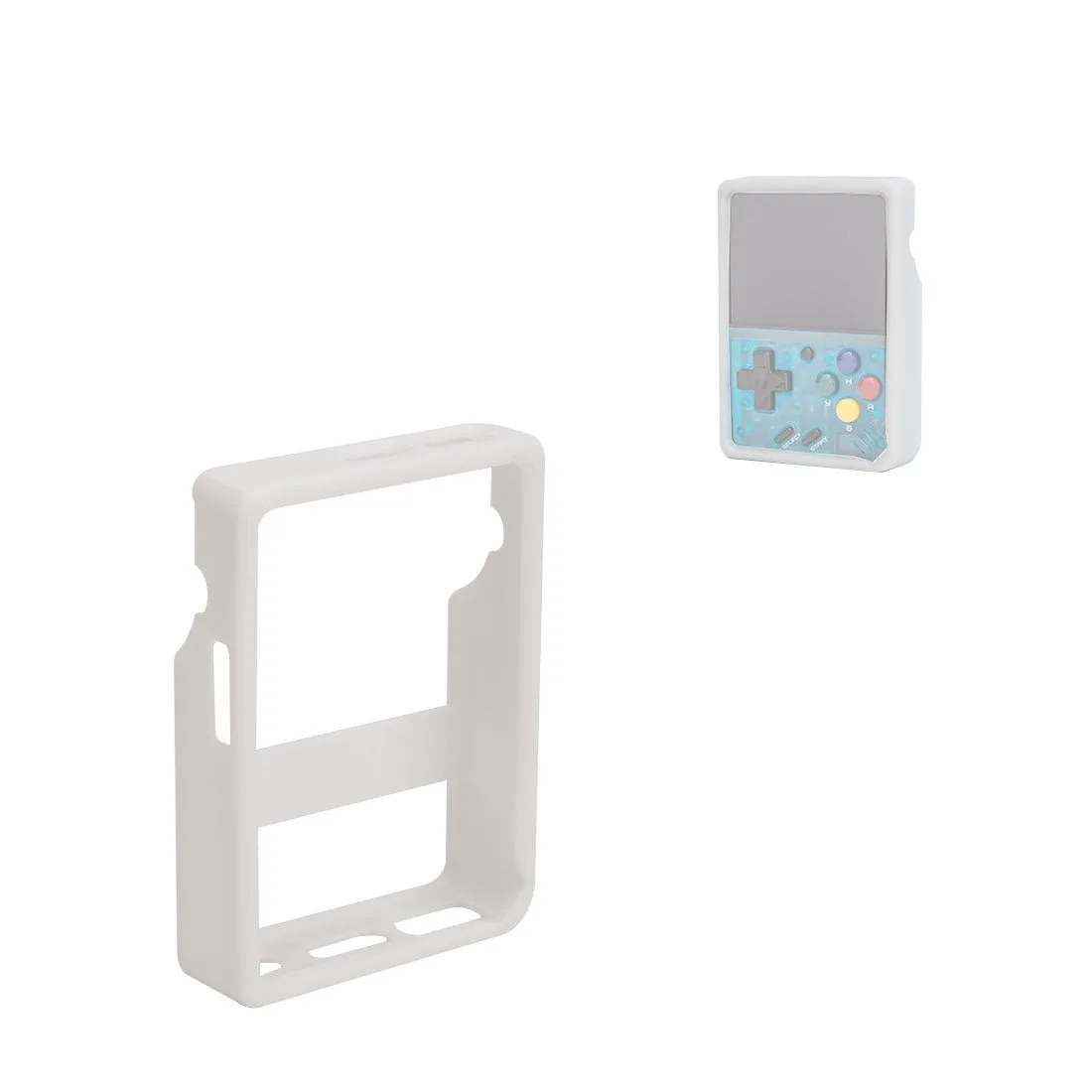
3D Printed Protective TPU Case for Miyoo Mini