Quick answer
Install the Yeti steering rack with the front end supported and the servo disconnected, so you can center the rack and set steering throw without fighting the electronics. Sort your steering rack hardware before you start, keep the original rack and fasteners together for reference, and tighten in stages while checking for binding at full lock. Most install problems come from a rack that is off-center or hardware that is too long and bottoms out before the rack is snug.
A Yeti steering rack install is mostly a patience job. The rack itself is simple, but the order you do things in decides whether the front end steers smoothly or binds at full lock. If you have already done a vanquish steering rack install on a VS4-10 or similar build, the process will feel familiar, but the Yeti rack has its own mounting points and hardware, so do not assume the old fasteners will transfer.
This guide walks through the install in the order that avoids rework: teardown, hardware sorting, rack placement, centering, and a final steering throw check. It also covers the small parts that commonly get replaced at the same time, like shock rebuild components and skid plates, so you can plan one teardown instead of three.
Before you touch the truck
Support the front of the rig so the wheels are off the ground and the suspension is at ride height, not drooped. Disconnect the servo horn or drag link from the steering linkage before removing the old rack. If you leave the servo connected, the rack will fight you during removal and you risk stripping a fastener or bending a link.
Lay out a tray for the old rack and its fasteners. Keep them together even if you plan to replace them, because they are your reference for length and thread pitch. Take a photo of the linkage routing before disassembly. On a crawler, one flipped link can change steering geometry enough to notice on the trail.
- Common mistake: removing the rack with the servo still powered and connected, which loads the linkage and makes the rack feel stuck.
- Checkpoint: with the linkage disconnected, the old rack should move freely by hand before you unbolt it.
Sort your steering rack hardware
Match every fastener to its hole before you install anything. Thread a screw in by hand first; if it stops early, it is the wrong length or pitch. Do not force it. Steering rack hardware that bottoms out can feel tight while the rack is actually loose, which shows up later as slop in the steering.
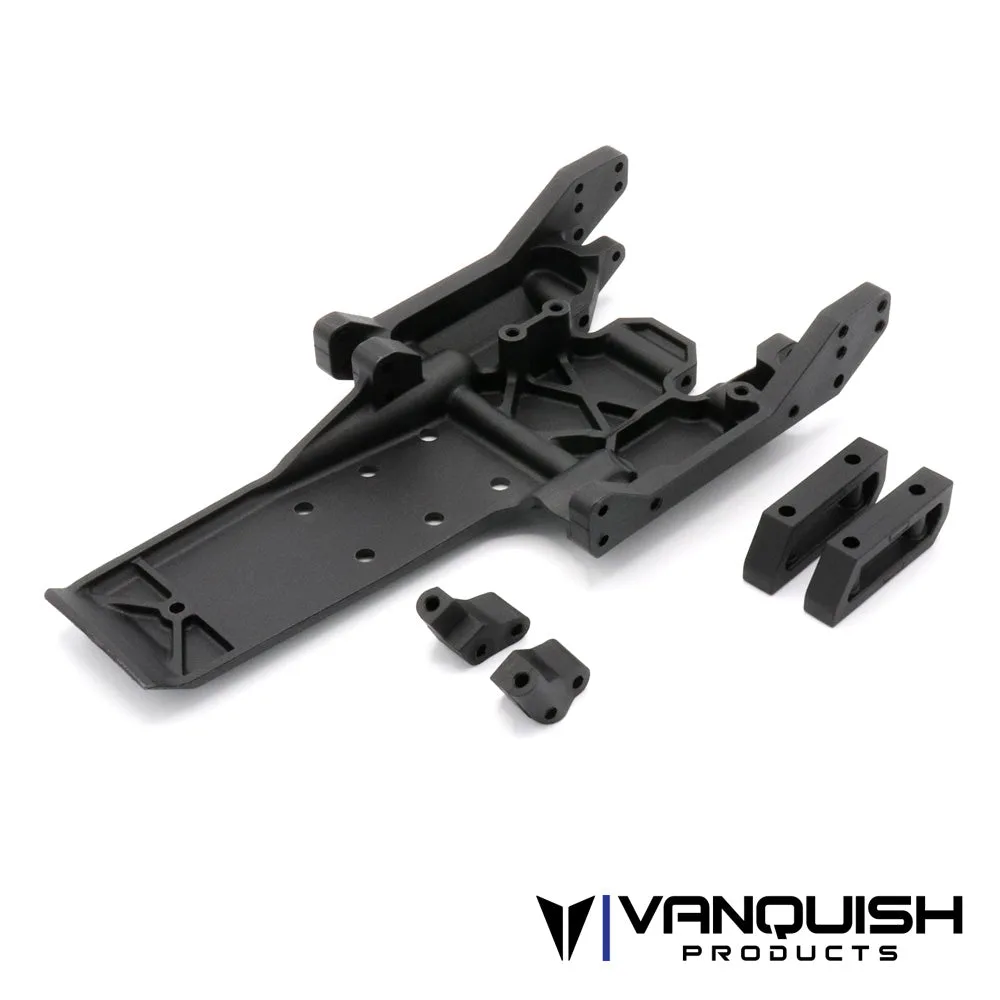
If your kit or build uses molded mounting tabs and spacers, dry-fit them without the rack so you can see how the stack sits. Spacers that are too thick will pull the rack out of alignment with the bellcrank or servo horn. If a specification like exact torque or thread locker is not published for your rack, use the general rule for small RC fasteners: snug plus a touch, not gorilla tight, and check again after the first run.
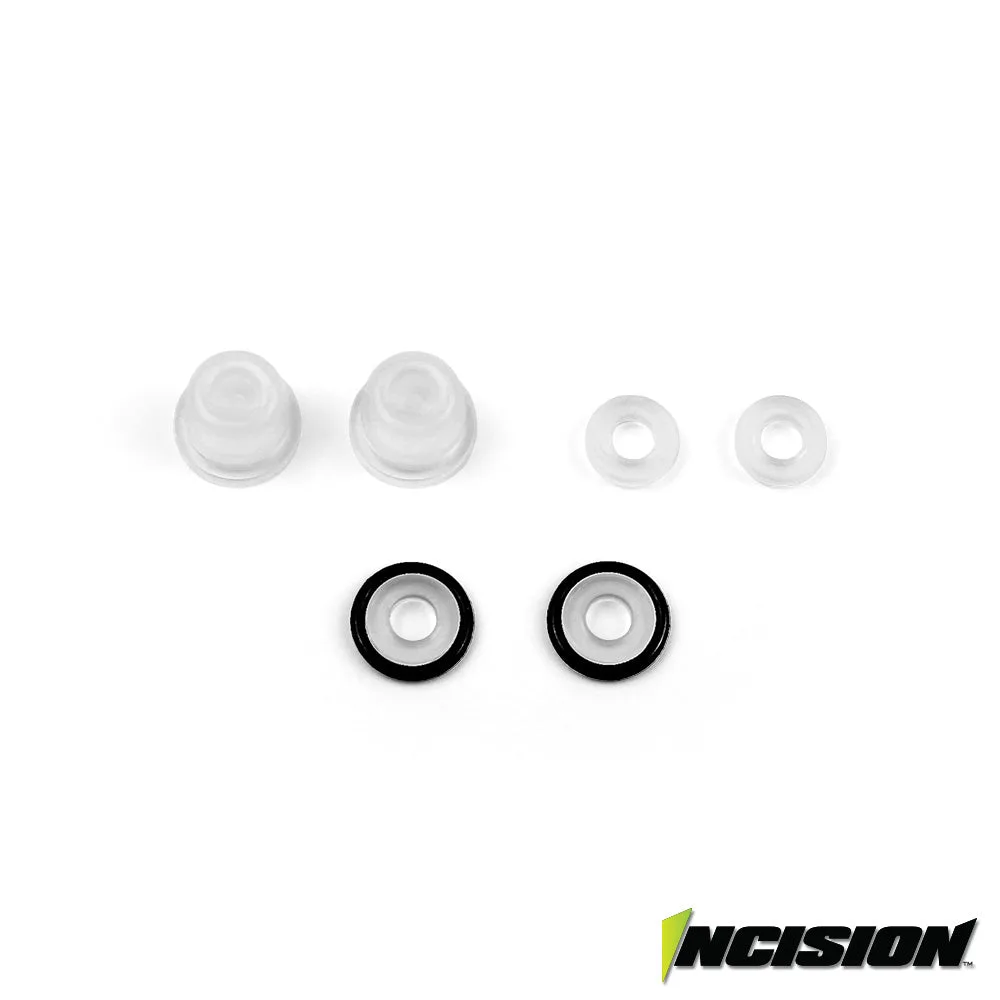
- Practical tip: keep a spare set of X-rings and bladders on the bench if you are already servicing the front shocks during this teardown.
Mount the rack and set centering
Set the rack in place and start all fasteners by hand before tightening any of them. Snug them in a cross pattern so the rack seats evenly. Then center the rack: with the servo horn removed or the drag link disconnected, turn the rack so the output is at its midpoint, and confirm the wheels point straight ahead. Centering the rack before you connect the servo is the single biggest factor in getting equal steering left and right.
Once centered, reconnect the linkage and check that the drag link angle does not bind through the travel. If the link hits the chassis or a skid plate at full lock, fix the routing now rather than trimming endpoints to hide it. A rack that is centered but has a binding link will still feel notchy on the trail.
- Common mistake: tightening one fastener all the way before starting the others, which tilts the rack and preloads the linkage.
- Checkpoint: with the servo disconnected, the rack should turn smoothly from lock to lock with no tight spots.
Final steering throw and first-run check
Reconnect the servo and power up with the wheels off the ground. Set endpoints so the rack reaches full travel just before the linkage binds. Listen for the servo buzzing at full lock; if it does, you are asking for more throw than the rack or linkage can give, and that heat shortens servo life. Set endpoints slightly inside the mechanical limit.
Do a low-speed test on the bench or floor and recheck the rack fasteners after a few minutes of cycling. Small fasteners can settle after the first load. If you replaced the skid plate or motor plate tabs during this job, recheck those fasteners too, since they see the same vibration.
- Practical tip: after the first pack, re-snug the rack hardware and check for any new play at the bellcrank.
Yeti steering rack install steps
- Support the rig and disconnect the servo: Raise the front end so the wheels are off the ground, then disconnect the servo horn or drag link before removing the old rack. Checkpoint: the old rack should move freely by hand once the linkage is disconnected.
- Sort and test-fit the steering rack hardware: Match each fastener to its hole by hand before assembly. Dry-fit mounting tabs and spacers without the rack to confirm the stack sits straight. Common mistake: forcing a fastener that stops early, which can leave the rack loose while feeling tight.
- Mount the rack and snug in a cross pattern: Start all fasteners by hand, then snug them evenly in a cross pattern so the rack seats flat instead of tilting to one side. Checkpoint: the rack should sit flush with no gap at any mounting point.
- Center the rack before reconnecting the servo: With the servo disconnected, turn the rack to its midpoint and confirm the wheels point straight ahead. Then reconnect the linkage and check for binding through the travel. Common mistake: connecting the servo first, which makes centering a guess and produces unequal steering left to right.
- Set endpoints and recheck after the first run: Power up with the wheels off the ground and set endpoints just inside the mechanical limit so the servo does not buzz at full lock. Re-snug the rack hardware after the first few minutes of cycling. Next step: if steering still feels notchy, inspect the drag link routing and bellcrank for binding before changing the rack again.
Parts that pair well with a steering rack install
- VFD Skid Plate Set: Vanquish Products molded VFD Skid Plate Set is a replacement skid plate for the VFD Transmission Kit and VS4-10 Pro Kit, and the package includes one molded VFD skid plate, two molded VFD motor plate chassis mounting tabs, and two molded VFD battery tray spacers. Hardware is not included. If your teardown already has the front end apart, replacing a worn or cracked skid plate now saves a second disassembly, but plan for your own hardware since the set does not include it.
- Incision 90mm Scale Shock Rebuild Kit: The Incision 90mm Scale Shock Rebuild Kit provides replacement components for servicing one pair of shocks, and includes X-rings and bladders. It is intended for rebuild use. Front-end work often exposes leaking or tired shocks, and this kit covers one pair, so order two if you are refreshing all four corners.
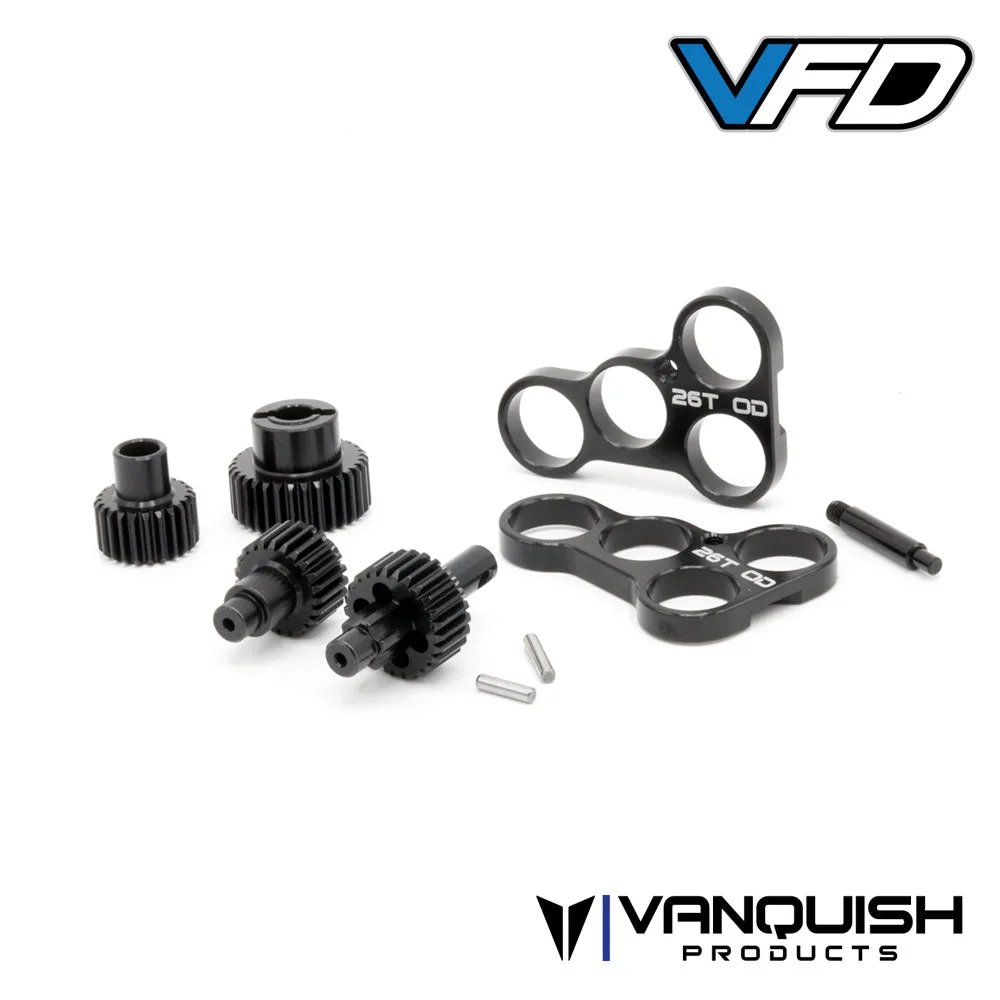
- VFD Light Weight Machined Transfer Case Gear Set: This gear set replaces the gears in the VFD Transfer Case (not VFD Twin) and uses machined steel 48P gears with a narrower profile to reduce mass inside the transmission, plus metal bearing plates for greater support. It provides a 21% overdrive. If you are chasing steering feel and drivetrain smoothness at the same time, this is a separate job from the rack, but it is worth knowing it does not fit the VFD Twin before you order.
A Yeti steering rack install comes down to order of operations: disconnect the servo, sort your steering rack hardware, mount and center the rack, then set endpoints. Do those four things and the steering will feel even and bind-free on the first trail run.