Quick answer
Mount your wheelbase and pedal set by first securing the wheelbase to your rig's crossbar or plate, then attaching the pedals to a stable base plate, and finally adjusting both for reach and angle.
Why proper mounting matters
A loose or misaligned wheelbase or pedal set can introduce flex, reduce control precision, and cause discomfort during long sessions. Taking the time to mount both components correctly ensures consistent force feedback and a natural driving position.
Trade-offs to consider
Some rigs use a universal wheel plate, which offers flexibility for different wheelbases but may require additional shimming for a perfect fit. Similarly, pedal sets vary in base plate design—some include pre-drilled holes for common patterns, while others need an adapter. Check your rig's mounting pattern before ordering.
Step-by-step mounting process
- 1. Prepare your rig and tools: Clear the mounting area on your rig. Have a metric hex key set, a torque wrench (if recommended), and any included brackets or bolts ready. Check the rig's manual for the recommended bolt size and torque spec for the wheelbase mount. Common mistake: using the wrong bolt thread pitch can strip the mount. Verify M6 vs. M8 before tightening.
- 2. Attach the wheelbase to the rig: Position the wheelbase (e.g., Simucube 2 Pro R2) on the rig's wheel plate or crossbar. Align the mounting holes and insert bolts loosely. If your rig uses a universal plate, center the wheelbase and ensure the shaft extends straight toward you. Tighten bolts in a cross pattern to even out stress. Checkpoint: the wheelbase should not rock or tilt when you apply light pressure. If it does, add thin washers or shims under the low side.
- 3. Mount the pedal set: Place the pedal base (e.g., VNM Racing Pedals) on the rig's pedal plate or floor. Use the pre-drilled holes as a guide. If your rig lacks matching holes, use a pedal mounting adapter or drill new holes carefully. Tighten the pedals firmly but avoid over-torquing. Common mistake: mounting the pedals too far forward or back. Sit in your driving position and adjust so your knees are at a 90–110° angle with heels on the pedal faces.
- 4. Connect the wheelbase and pedals to power and PC: Route the USB and power cables neatly away from moving parts. Use cable ties or clips to secure them to the rig frame. Plug the wheelbase into a powered USB hub if your PC port is distant. Checkpoint: test the wheelbase and pedals individually in your sim software before tightening all cable management. Loose connections are easier to fix now.
- 5. Final adjustments and calibration: Sit in the rig and adjust the wheelbase tilt and pedal angle for comfort. For the wheelbase, set the rotation angle so your wrists are straight at the 9-and-3 grip. For pedals, adjust the pedal faces so your toes rest naturally. Tighten all bolts to the recommended torque. Common mistake: skipping the calibration step in the wheelbase software can lead to incorrect force feedback. Run the auto-calibration routine after mounting.
Product facts
-
Bundle - Wheelbase, Wheel and Pedal Set: This bundle includes a Simucube 2 Pro R2 wheelbase, Conspit 300GT steering wheel, and VNM Racing Pedals (3-pedal set). You get a matched set with known mounting interfaces, simplifying installation compared to mixing brands.
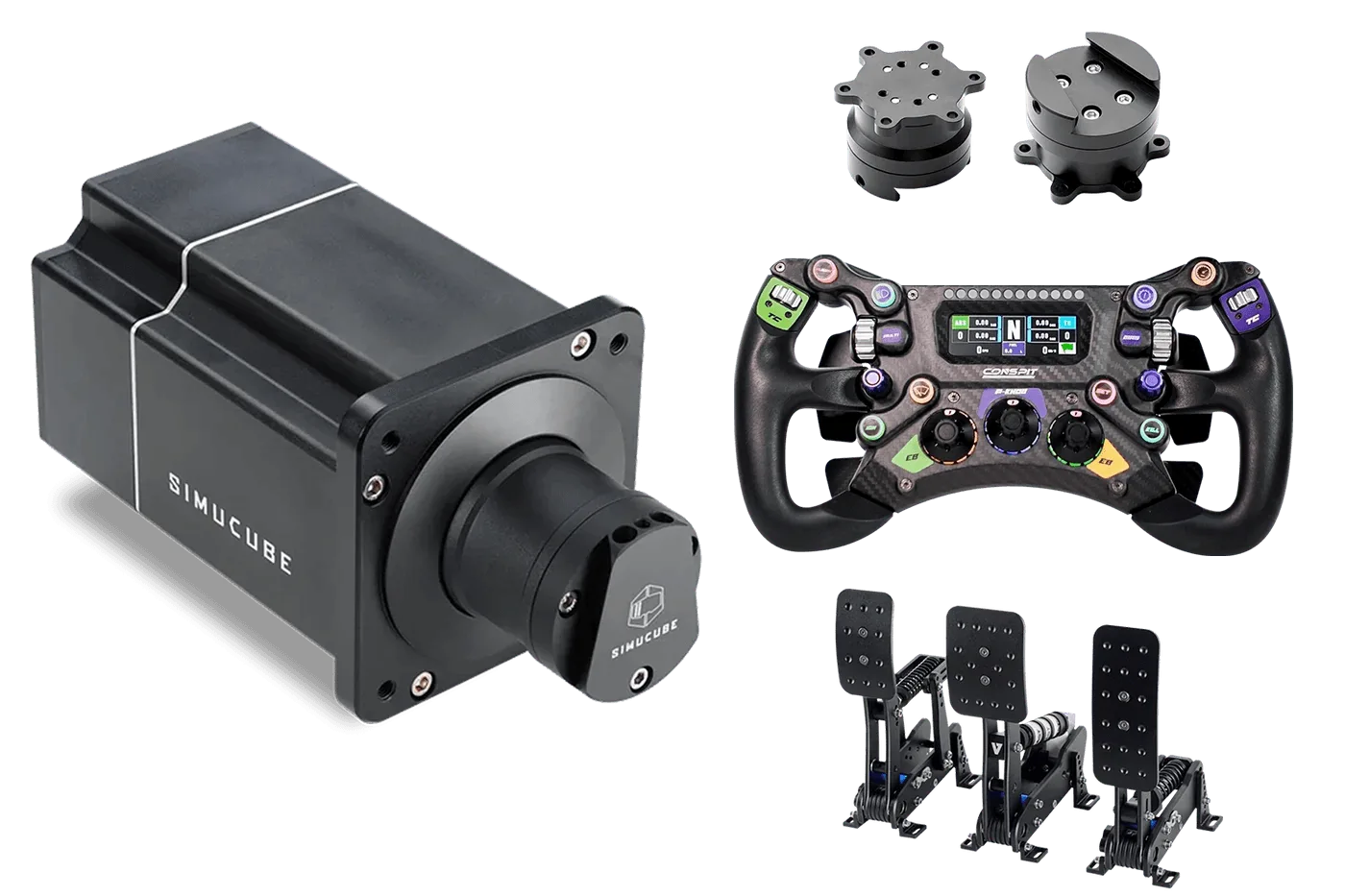
Bundle - Wheelbase, Wheel and Pedal Set