Quick Answer
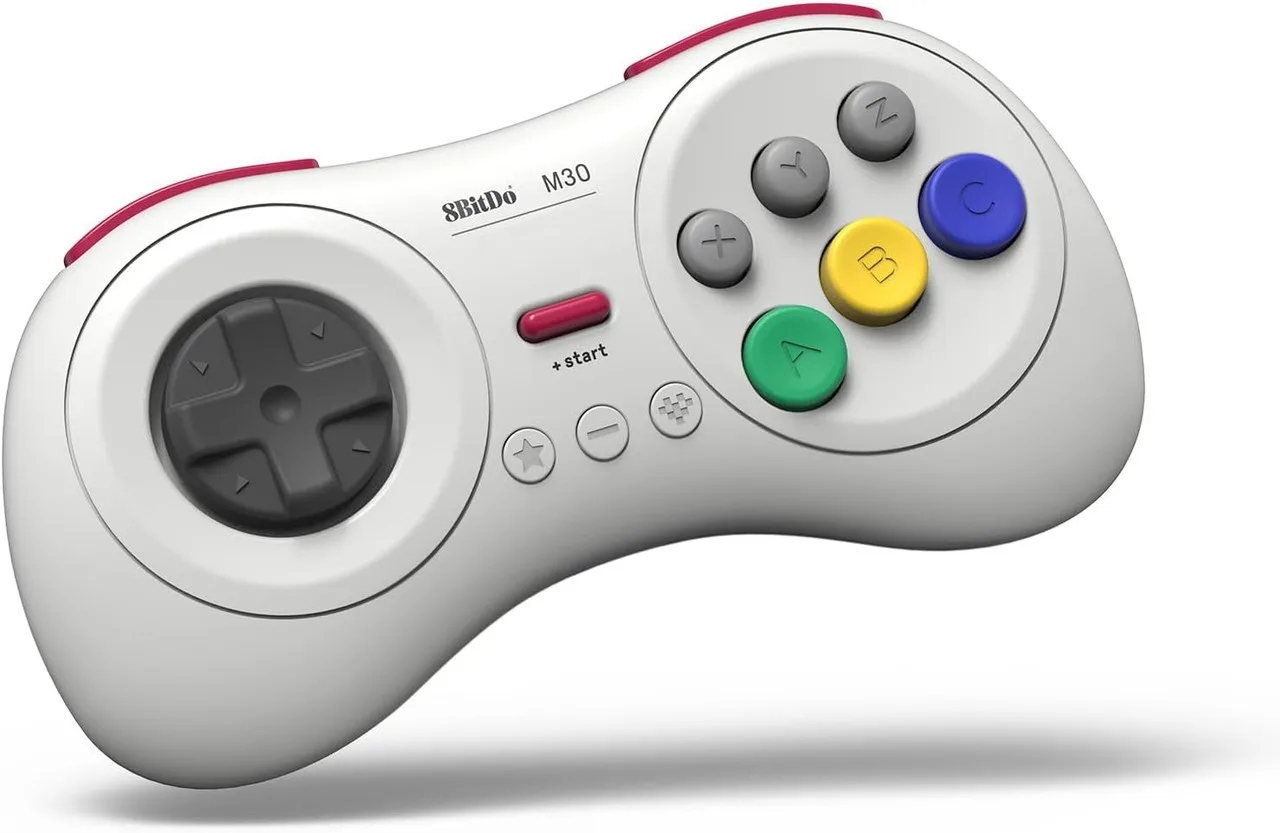
Put the 8BitDo M30 into pairing mode by holding Start + B for three seconds, then select it from the Switch's Controllers menu.
Why Use the M30 on Switch?
The 8BitDo M30 Bluetooth Pad brings the classic six-button layout to modern consoles. Its retro design and original button feel make it ideal for fighting games, arcade shooters, and any title that benefits from a familiar Sega-style controller.
The M30 works wirelessly via Bluetooth and also supports a USB connection for lower latency. On Switch, Bluetooth is the most convenient option, and the pairing process takes less than a minute once you know the correct button combination.
Pairing Steps
- 1. Enter Pairing Mode on the M30: Press and hold the Start button (the small button near the top) and the B button simultaneously for about three seconds. The LED will start flashing rapidly, indicating the controller is in Bluetooth pairing mode. If the LED does not flash, release and try again. Holding only Start or only B will not trigger pairing mode.
- 2. Open the Switch Controllers Menu: From the Switch Home screen, go to Controllers > Change Grip/Order. The console will begin scanning for nearby Bluetooth controllers. Make sure no other wireless controllers are actively connected, as the Switch may prioritize a previously paired device.
- 3. Select the 8BitDo M30: After a few seconds, the M30 should appear in the list as '8BitDo M30' or a similar name. Select it with the touchscreen or a connected controller. The LED on the M30 will stop flashing and remain solid, confirming the connection. If the controller does not appear, try moving closer to the Switch or restarting the pairing process from step 1.
- 4. Test and Adjust Button Mapping: Open any game that supports the Switch Pro Controller layout. The M30's face buttons map to the Switch's ABXY layout by default. If a game expects a different layout, check the 8BitDo Ultimate Software for button remapping options. Some retro titles may require adjusting the controller orientation in the Switch system settings under Controllers and Sensors.
Product Fact
-
8BitDo M30 Bluetooth Pad White: The 8BitDo M30 Bluetooth Pad supports multiple systems including Switch, Windows, Android, macOS, Steam, and Raspberry Pi. You can use the same controller across different devices without buying separate pads, though the pairing mode differs slightly per platform.
8BitDo M30 Bluetooth Pad White