Quick answer
To replace the rear wheel on a Strider 14x Classic, you'll need a 15mm wrench and about 15 minutes. The process is straightforward, but you must handle the coaster brake carefully to avoid damage.
What to know before you start
The rear wheel on the Strider 14x Classic includes the coaster brake, tire, and tube as a single assembly. That means you don't need to transfer brake parts separately, but it also means the brake mechanism is part of the wheel you're handling.
Work on a clean, flat surface and keep the bike upright. If the bike has a kickstand, use it; otherwise, lay the bike on its side with the chain side facing up to avoid stress on the drivetrain.
Check the wheel size and brake type before ordering a replacement. The 14x Classic uses a 14-inch wheel with a coaster brake, so a standard 14x wheel without a brake won't work.
Step-by-step rear wheel replacement
- Gather tools and position the bike: You'll need a 15mm wrench (or an adjustable wrench) and a clean workspace. Place the bike on a stable surface, using a kickstand or laying it on its side with the chain side up. Check that the wrench fits the axle nuts before starting; a loose fit can strip the nuts.
- Loosen the axle nuts: Use the wrench to loosen the two axle nuts on the rear wheel. Turn counterclockwise. If the nuts are tight, apply steady pressure; avoid using a pipe extension that could over-torque and damage the axle. Loosen both nuts a few turns before removing the wheel, not one nut completely first.
- Remove the wheel from the frame: Once the nuts are loose, lift the wheel straight down and out of the dropouts. Be careful not to bend the chain or derailleur (if equipped). On the 14x Classic, the coaster brake arm is attached to the frame – note how it connects so you can reattach it correctly. Take a photo of the brake arm connection before removal to simplify reinstallation.
- Install the new rear wheel: Slide the new wheel into the dropouts, aligning the axle with the slots. Reattach the coaster brake arm to the frame tab, then thread the axle nuts on by hand to avoid cross-threading. Tighten them alternately with the wrench until snug. Make sure the wheel is centered in the frame before fully tightening the nuts.
- Check brake and wheel function: Spin the wheel to confirm it rotates freely without rubbing. Test the coaster brake by pushing the bike forward and pedaling backward (if pedals are installed). If the brake doesn't engage, recheck the brake arm connection. If the wheel wobbles, loosen the nuts, reseat the wheel, and retighten evenly.
Replacement wheel at a glance
-
Rear Wheel for Strider 14x Classic: This replacement rear wheel for Strider 14x bikes includes the Coaster Brake, Tire, and Tube for the 14x Classic. You get everything needed in one assembly, so the swap is quick and you don't have to buy brake or tire parts separately.
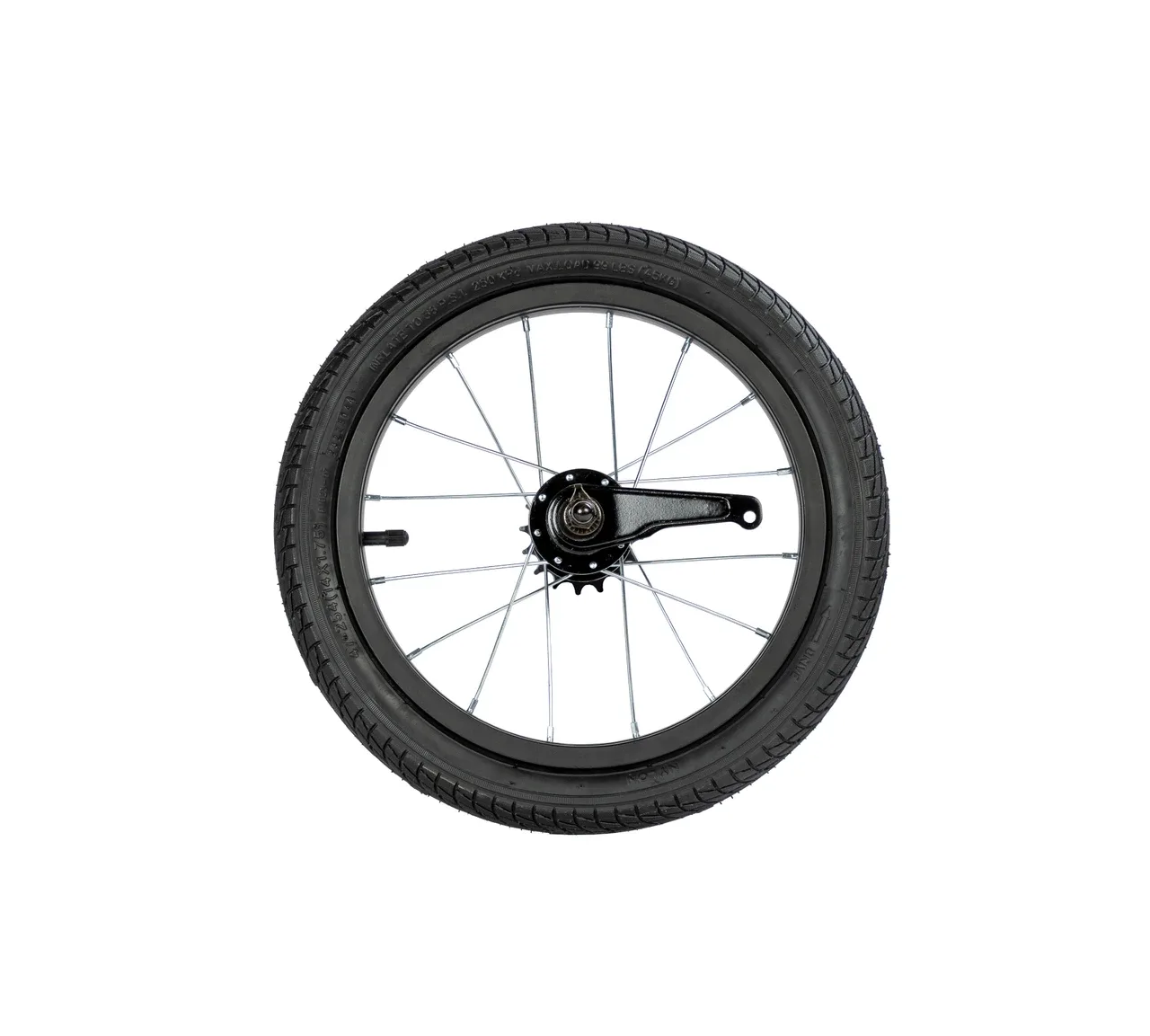
Rear Wheel for Strider 14x Classic