Quick answer
Most Sengled bulb connection problems are caused by a missing or misconfigured hub, an unpaired bulb, or a temporary network glitch. Follow the diagnosis steps below to isolate and fix the issue in minutes.
Why Sengled bulbs need a hub
Unlike some Wi-Fi bulbs, Sengled smart bulbs (including the A19 Multicolor) use a Zigbee-based hub to communicate with your home network. The hub acts as a bridge between the bulb and your Wi-Fi router. If the hub isn't powered, connected to your router, or linked to the Sengled Home app, the bulb won't appear in Alexa or Google Home.
This hub requirement adds a step during setup, but it also improves reliability and range compared to direct Wi-Fi bulbs. The trade-off is that you must keep the hub online and within range of the bulbs.
Common causes of connection failure
Bulb not screwed in fully or powered on after installation.
Hub not connected to your router via Ethernet or not plugged into a working outlet.
Bulb already paired to another hub or account (common with used or starter kit bulbs).
Wi-Fi network changed or router rebooted since initial setup.
App permissions or location services not enabled on your phone.
Diagnosis and fix steps
- Symptom: Bulb doesn't respond to app or voice commands: Make sure the bulb is screwed in tight and the wall switch is on. The bulb needs constant power; if you use a dimmer or pull-chain, it may appear off to the hub. If the bulb lights up but won't pair, proceed to the next step.
- Likely cause: Hub not connected or not recognized: Check that the hub is plugged into a power outlet and connected to your router via the included Ethernet cable. The hub's LED should be solid green or blinking slowly. If the LED is off or red, try a different Ethernet port or power outlet. If the hub LED is solid green, move to the app pairing step.
- Corrective action: Reset the bulb and re-pair: Turn the bulb off for 2 seconds, then on for 2 seconds, off for 2 seconds, then on for 2 seconds. Repeat this cycle 5 times (or until the bulb blinks rapidly). Open the Sengled Home app, tap 'Add Device', and follow the prompts. The app should detect the bulb within 30 seconds. If the bulb still isn't detected, try moving the bulb closer to the hub (within 10 feet) and repeat the reset.
- Stop or choose another option: If the bulb resets but still won't pair, the hub firmware may need an update. Check the Sengled Home app for firmware updates under Hub Settings. If updates don't help, contact Sengled support—the bulb or hub may be defective.
Product facts
-
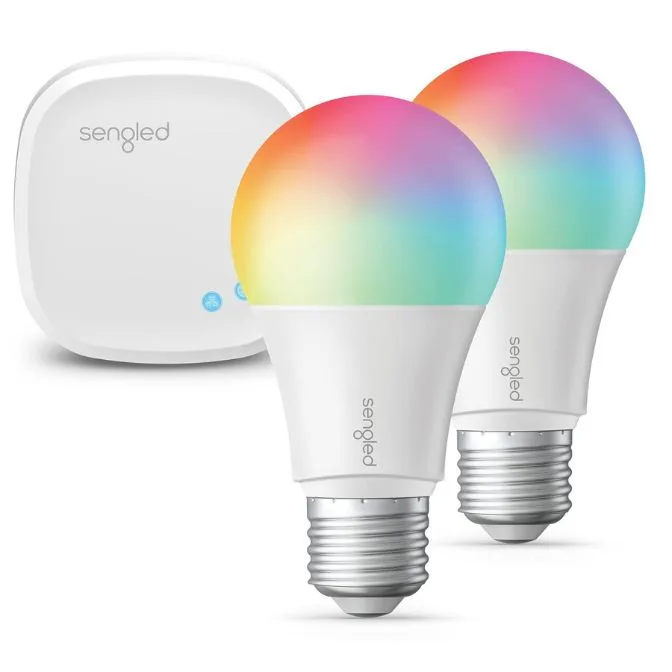
Sengled Smart LED Multicolor A19 Starter Kit, 60W Equivalent Bulbs, 2 Light Bulbs & Hub, RGBW Color and Tunable White 2000-6500K, Compatible with Alexa & Google Assistant: The Sengled Smart LED Multicolor A19 Starter Kit includes two A19 bulbs and a hub, supporting RGBW colors and tunable white from 2000 K to 6500 K. If you're using this starter kit, the hub is included—so connection issues usually point to a setup or pairing step, not a missing component.
Sengled Smart LED Multicolor A19 Starter Kit, 60W Equivalent Bulbs, 2 Light Bulbs & Hub, RGBW Color and Tunable White 2000-6500K, Compatible with Alexa & Google Assistant