Quick answer
Connect the Sonic the Hedgehog Mighty Player to your TV via HDMI, plug in the USB power, and you are ready to play four classic Sonic titles with zero software installation.
What you get in the box
The Sonic the Hedgehog Mighty Player comes as a single unit that includes the console, one wired controller, and a USB power cable. There is no separate game cartridge or download code — the four classic Sonic titles are built directly into the device. You will need your own USB power adapter (5V/1A or higher) and an HDMI cable, as neither is included in the package.
Because the unit is designed as a retro arcade replica, it does not support wireless controllers or Bluetooth audio. If you prefer a longer cable or a different controller feel, you may need to purchase a compatible third-party wired controller separately.
Step-by-step setup
- Connect HDMI: Plug one end of an HDMI cable into the Mighty Player and the other into an available HDMI port on your TV. Make sure the TV is set to the correct HDMI input. Common mistake: plugging into a monitor that lacks built-in speakers — the Mighty Player outputs audio over HDMI only.
- Power up: Connect the USB power cable to the Mighty Player and then to a USB power adapter (5V/1A minimum). Plug the adapter into a wall outlet. The device has no power switch — it will turn on as soon as it receives power. Do not use a computer USB port; it may not supply enough current, causing the device to reset or fail to boot.
- Select your game: Once the Mighty Player boots, you will see a simple menu of the four built-in Sonic titles. Use the included wired controller to scroll and press the A button to start a game. If the menu does not appear, double-check the HDMI input and power connection. No on-screen settings or firmware updates are required.
- Adjust TV settings (if needed): Some modern TVs may display the game in a small window or with black bars on the sides. This is normal — the Mighty Player outputs a fixed 720p resolution. Use your TV's picture settings to switch to a 4:3 or 'original' aspect ratio for the intended retro look. Avoid using 'stretch' or 'zoom' modes; they distort the pixel art and can make gameplay feel off.
Product facts
-
Sonic the Hedgehog Mighty Player: Built like a retro arcade, the Sonic the Hedgehog Mighty Player includes four classic Sonic titles and connects via HDMI. You get instant access to multiple games without any downloads or account setup — just plug, power, and play.
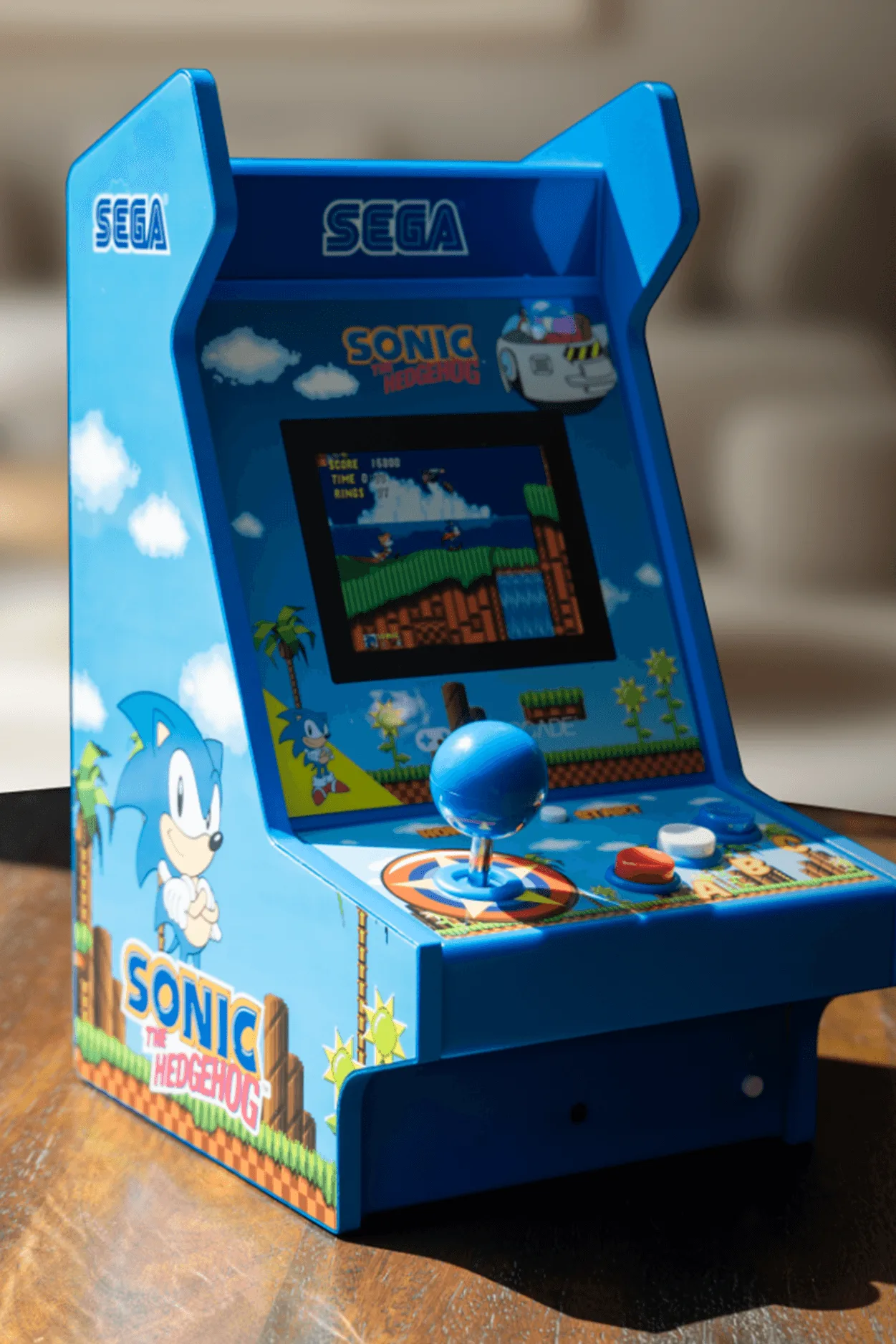
Sonic the Hedgehog Mighty Player


