Quick answer
If your DualSense controller won't charge, start by checking the USB cable and port, then try a different power source or a controller reset.
Common causes for a DualSense that won't charge
A faulty or incompatible USB cable is the most frequent culprit. The DualSense uses a USB-C connection, and not all cables support data and charging equally. A worn-out or low-quality cable may deliver power intermittently or not at all.
Another common issue is the charging port on the controller itself. Dust, lint, or debris can block the connection. A quick inspection and gentle cleaning often resolve this.
Less commonly, the controller's internal battery management system may need a reset. This can happen after a deep discharge or a firmware glitch.
Diagnosis steps
- Symptom: The controller does not charge when connected to a power source. The light bar may flash briefly or stay off.
- Likely cause: Faulty USB cable, dirty charging port, or a temporary glitch in the controller's battery management.
- Corrective action: 1. Try a different USB-C cable and power adapter. 2. Clean the charging port gently with a dry toothpick or compressed air. 3. Reset the controller using a paperclip in the small hole on the back (near the L2 button). 4. Connect the controller directly to the PS5 with a USB cable and press the PS button. If the controller still won't charge after these steps, the battery may need replacement or the controller may have a hardware fault.
- Stop or choose another option: If none of the above work, consider contacting Sony support or replacing the controller. Continuing to force a charge can damage the battery or port.
Product facts
-
PlayStation DualSense® Wireless Controller - White: The DualSense wireless controller connects to PS5, PC, or Mac via USB-C or Bluetooth. If you're using a USB-C cable that only supports data transfer but not charging, the controller may not charge even when connected.
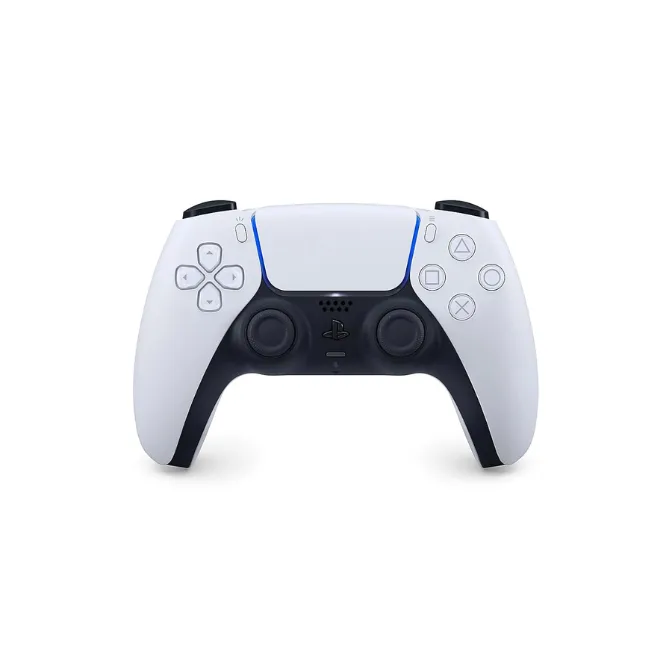
PlayStation DualSense® Wireless Controller - White