Quick Answer
DynaPhase software automates phase unwrapping and compensates for vibration in real time, so you can get repeatable interferometric measurements without manual tuning.
Why Phase Analysis Needs Specialized Software
Standard phase analysis methods assume a stable environment. In real labs, vibration from HVAC systems, nearby equipment, or optical alignment adjustments introduces noise that corrupts fringe patterns. DynaPhase software addresses this by dynamically acquiring data during motion rather than waiting for stillness.
The trade-off is that dynamic acquisition requires compatible hardware — specifically Verifire, Verifire HD, Verifire HDX, or IR systems. If you work with older interferometers, you may need to verify compatibility before adopting this workflow.
What DynaPhase Does Differently
Instead of capturing a single static frame, DynaPhase records multiple interferograms while the environment is moving. Its algorithm then selects the best frames and reconstructs the phase map. This approach delivers reliable data even when vibration amplitudes exceed what traditional phase-shifting can tolerate.
The practical result is fewer retakes and less time spent troubleshooting environmental noise. For alignment tasks, you can adjust optics in real time and see the phase map update continuously.
How to Perform Phase Analysis with DynaPhase
- 1. Set Up the Interferometer and Launch DynaPhase: Connect your Verifire or compatible system and open the DynaPhase acquisition module. Ensure the optical path is roughly aligned — the software will handle fine adjustments during acquisition. Common mistake: trying to achieve perfect static alignment before starting. DynaPhase is designed to work with motion, so a rough alignment is sufficient.
- 2. Configure Acquisition Parameters: Select the laser wavelength matching your system (e.g., 1.064 µm for standard IR setups). Set the acquisition rate based on expected vibration frequency — higher rates capture more frames per second and improve noise rejection. Checkpoint: if your environment has strong low-frequency vibration (below 10 Hz), reduce the acquisition window to avoid motion blur.
- 3. Start Dynamic Acquisition: Click the acquire button while the system is experiencing normal lab vibration. DynaPhase will record a burst of interferograms and automatically select the best ones for phase extraction. Common mistake: stopping acquisition too early. Let the software capture at least 20–30 frames to give the algorithm enough data for reliable phase unwrapping.
- 4. Review the Phase Map: After acquisition, the software displays a wrapped phase map. Use the built-in unwrapping tool to convert it to a continuous surface profile. Check for residual 2π jumps — if present, increase the number of captured frames or adjust the vibration isolation. Checkpoint: a clean unwrapped phase map should show smooth transitions. Jagged edges indicate insufficient frame count or excessive vibration amplitude.
- 5. Export or Save the Results: Save the phase map in your preferred format (e.g., .dat or .csv) for further analysis in metrology software. DynaPhase also allows you to export the raw interferograms for post-processing. Common mistake: forgetting to document the acquisition parameters (wavelength, frame rate, vibration conditions). This metadata is essential for repeatability.
Product Facts
-
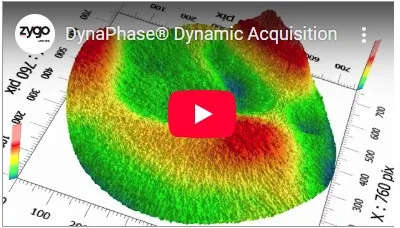
DynaPhase Software: DynaPhase is dynamic acquisition software for Verifire, Verifire HD, Verifire HDX, and IR Systems (1.053 µm, 1.064 µm, 1.55 µm, 3.39 µm). If you use one of these interferometers, DynaPhase lets you measure in environments where vibration would otherwise make phase analysis impossible.
DynaPhase Software