Quick answer
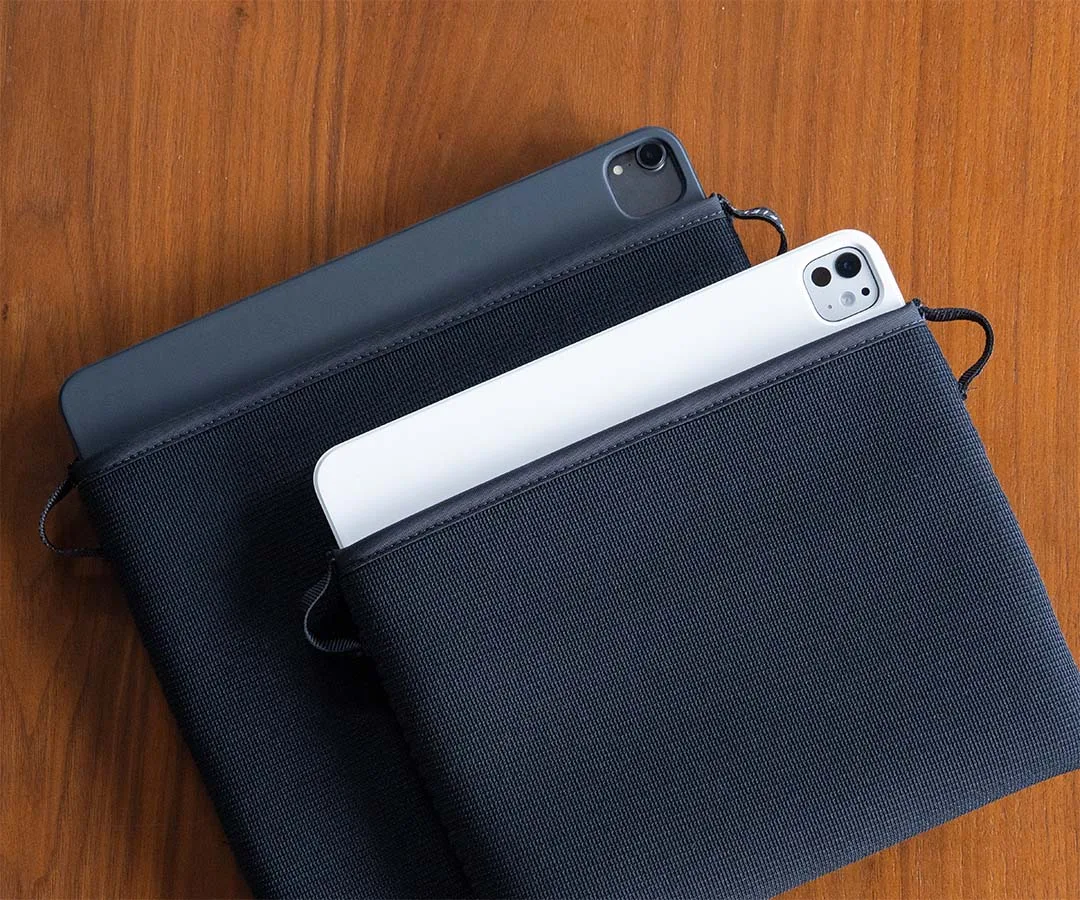
Pick a keyboard case by matching the exact tablet model and generation, then confirm the case does not block ports, cameras, or the charging port. For daily typing, prioritize a stable typing angle and a keyboard you can remove or fold back when you just want to read or watch. If you already carry a separate sleeve, a keyboard case plus a slim sleeve like the Neo Sleeve for iPad Pro can protect the tablet during transport without adding bulk.
Start with your tablet model and generation
Keyboard cases are cut for specific dimensions, speaker placements, and camera bumps. A case that fits an 11-inch iPad Pro may not fit an iPad Air or a different generation even if the screen size sounds the same. Check the model number in your tablet settings, not just the marketing name. If you use a screen protector, note that some tight cases can lift the edges; a sleeve-style case avoids that issue because it does not clip onto the tablet.
Decide how you will type most often
If you type on a desk, a case with a rigid kickstand and a fixed angle works well. If you type on your lap or in bed, look for a keyboard that detaches or folds back so you can adjust the screen angle independently. For short bursts of typing, a folio-style keyboard case is lighter, but the typing angle is often less stable. Match the case to where you actually type, not where you imagine typing.
Check protection beyond the keyboard
A keyboard case protects the screen when closed, but the corners and edges still need shock absorption if you commute or travel. Look for reinforced seams, raised bezels around the screen, and a closure that stays shut in a bag. If you carry your tablet without a keyboard some days, a dedicated sleeve gives better drop protection than a thin folio. The Neo Sleeve for iPad Pro uses 4.5mm shock-absorbing neoprene and reinforced cross-stitched seams to maintain a snug fit over time, and its smooth interior and dual pull-tabs make it easy to insert and remove the tablet when you switch between typing and reading.
Test the keyboard before you commit
Key travel, spacing, and backlight matter more than extra features. If you can try the keyboard in person, type a full paragraph and check for missed keystrokes near the edges. If you buy online, read return policies and look for reviews that mention long-term typing comfort. A keyboard that feels fine for a two-minute test can cause fatigue after an hour.
Step-by-step: choosing your keyboard case
- Identify your exact tablet model and generation: Find the model number in Settings > General > About. Write it down and match it to the case compatibility list. Common mistake: assuming all 11-inch tablets are the same size. Checkpoint: the case listing must name your exact model, not just the screen size.
- Measure your typical typing environment: Decide whether you type mostly on a desk, on your lap, or standing. Desk typing favors a stable kickstand; lap typing favors a detachable keyboard or adjustable angle. Common mistake: buying a heavy case for desk use when a lighter folio would do. Checkpoint: if you cannot adjust the screen angle independently, lap typing will be awkward.
- Verify port and camera access: With the case on, plug in the charging cable, check the headphone jack if you use one, and take a photo with the rear camera. Common mistake: discovering too late that the case blocks the charging port or covers a microphone. Checkpoint: all ports, buttons, cameras, and speakers must be unobstructed.
- Test the typing feel and stability: Type a full paragraph, including numbers and punctuation. Press the corners of the keyboard to check for flex. If buying online, read reviews that mention long typing sessions. Common mistake: choosing a keyboard based on backlight or brand alone. Checkpoint: the keyboard should not slide or wobble when you type quickly.
- Plan for protection when the keyboard is not attached: If you remove the keyboard often, add a sleeve for drop and scratch protection. The Neo Sleeve for iPad Pro offers 4.5mm neoprene and dual pull-tabs for easy access. Common mistake: relying on the keyboard case alone for drop protection when the tablet is out of the case. Checkpoint: a separate sleeve should fit your tablet with or without a thin shell.
Product facts to consider
- Neo Sleeve for iPad Pro: The Neo Sleeve protects your iPad Pro with 4.5mm shock-absorbing neoprene and reinforced cross-stitched seams that stretch and maintain a snug fit over time. If you often remove your tablet from a keyboard case, a sleeve with a snug fit and shock absorption adds transport protection without interfering with the keyboard.
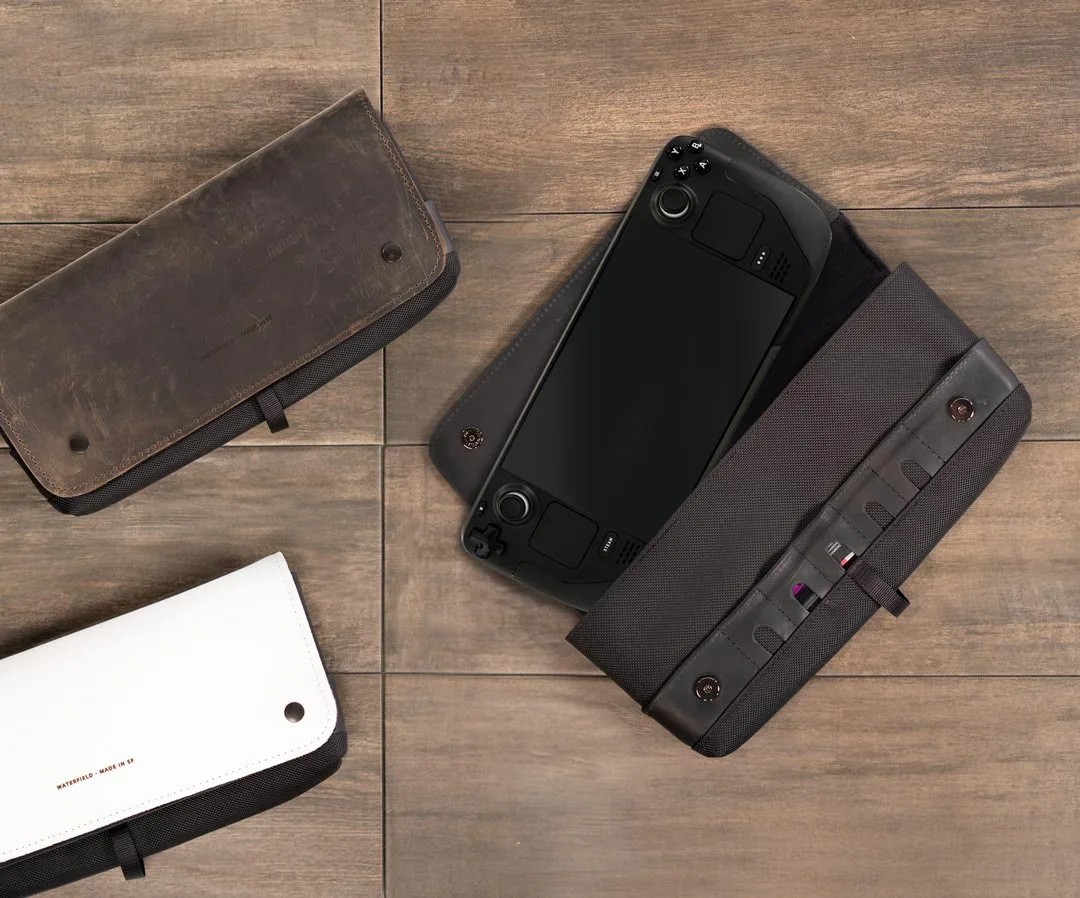
- CitySlicker Case for Steam Deck: The CitySlicker Case for Steam Deck has a cushioned interior with soft fleece and Ultrasuede liner, plus dedicated pockets for accessories. This shows the level of interior protection and organization you can expect from a well-designed gaming or tablet case, which is useful when comparing keyboard cases that also need to carry a charger or cable.