Quick Answer
Mount the handbrake securely to your rig, connect it via USB, calibrate it in the software, and then tune the in-game settings for rally or drift. The exact steps vary slightly between hydraulic and load cell models.
Hydraulic vs. Load Cell: What Changes in Setup
Hydraulic handbrakes like the Conspit H3 use a fluid-based system to mimic the feel of a real hydraulic brake. This means they often require a bit of bleeding or priming out of the box, and they may have a different calibration routine than a load cell unit.
Load cell handbrakes, such as the Simagic TB-1, measure force directly. They are generally plug-and-play, but you need to set the load cell sensitivity so that the brake engages at the right pressure for your hand strength.
Both types mount to your rig in a similar way, but the internal mechanics affect how you calibrate and what you feel during use.
Step-by-Step Handbrake Setup
- Mount the handbrake to your rig: Position the handbrake on your rig's mounting plate or side bracket. Use the provided bolts or T-nuts to secure it firmly. Place it within easy reach of your shifting hand, typically just behind or beside the shifter. Check that the lever moves freely without hitting the rig frame. If the handbrake wobbles or flexes, tighten the mounting bolts or add a support bracket.
- Connect the USB cable: Plug the handbrake's USB cable into your PC or a powered USB hub. For hydraulic models, ensure the fluid is filled and bled according to the manual before connecting. For load cell models, no special preparation is needed. Use a dedicated USB port, not a hub shared with a wheelbase, to avoid power or data conflicts.
- Install and open the manufacturer software: Download the latest driver and software from the manufacturer's website. Open the software and locate the handbrake device. Update the firmware if prompted. This is also where you can test the handbrake's input in real time. Always check for firmware updates before calibrating, as older firmware may affect performance.
- Calibrate the handbrake: In the software, follow the calibration wizard. For load cell handbrakes, set the minimum force (resting position) and maximum force (full pull) to match your grip strength. For hydraulic units, ensure the lever returns to zero and the pressure range is detected correctly. If the handbrake engages too early or late, adjust the minimum or maximum thresholds in the software.
- Configure in-game controls: In your sim racing game, go to the controls settings and assign the handbrake axis to the handbrake function. Set the axis to 'handbrake' or 'parking brake' and invert it if necessary. Test the input to confirm it responds correctly. If the handbrake is always on, the axis may need to be inverted or the deadzone increased.
- Tune the handbrake feel in-game: Adjust the handbrake's force feedback or damping in the game's settings to suit rally or drift. For drift, you might want a sharper response; for rally, a more progressive feel can help with weight transfer. Test different settings on a practice track. Start with a moderate setting and adjust in small increments until the car behaves predictably.
Handbrake Options That Simplify Setup
-
Conspit H3 Dual-Mode Hydraulic Handbrake – Precision Rally & Drift Control: The Conspit H3 features a 2nd-generation patented hydraulic system with a redesigned internal oil circuit for enhanced damping. The hydraulic damping gives a realistic progressive pull, but you may need to bleed the system before first use to get consistent performance.
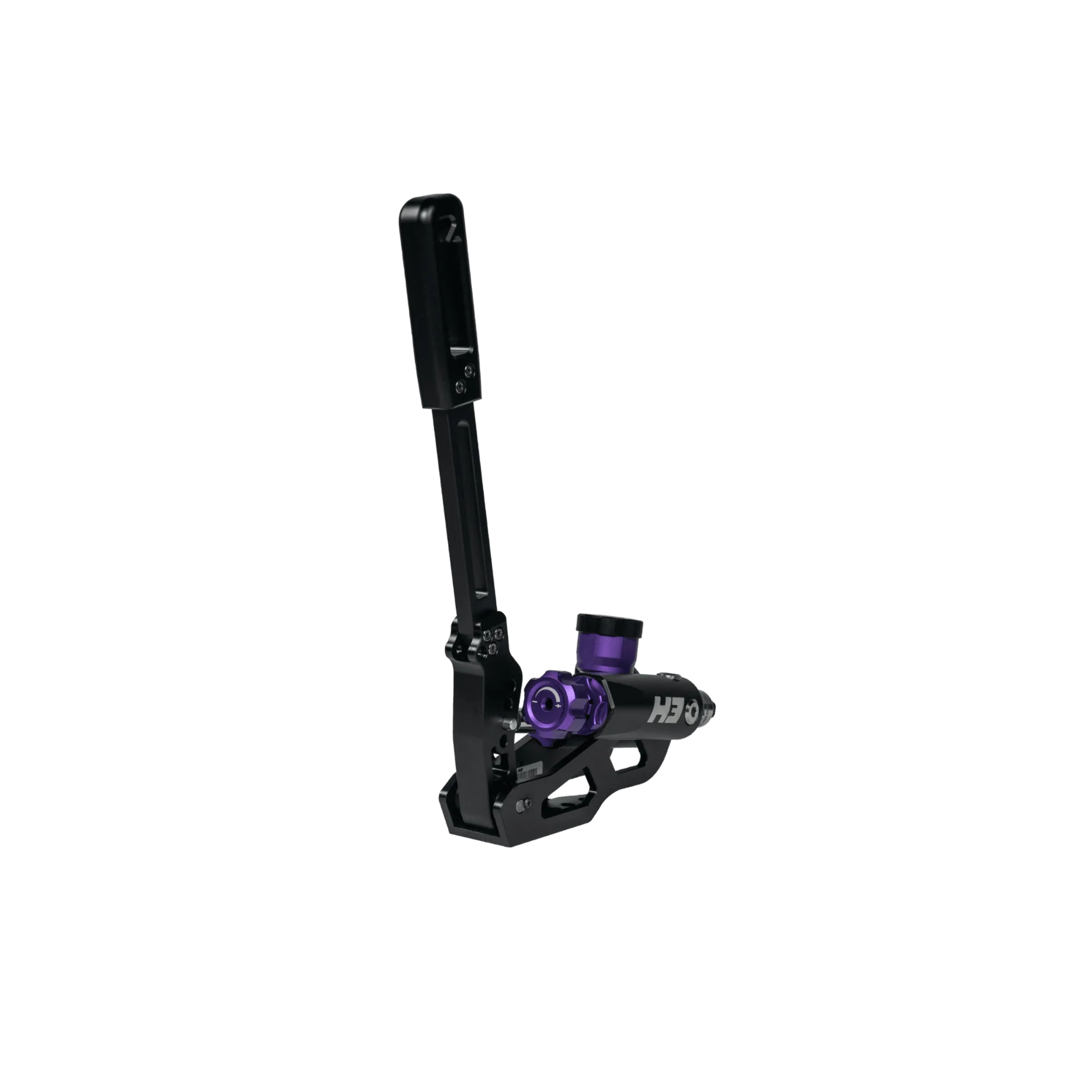
Conspit H3 Dual-Mode Hydraulic Handbrake – Precision Rally & Drift Control
-
Simagic TB-1 Full-Metal Handbrake – 100 kg Load Cell, Dual-Mode Resistance: The Simagic TB-1 uses a 100 kg load cell sensor and a full-metal CNC-machined aluminium body. The load cell provides precise force measurement, and the sturdy build ensures it stays rigid when mounted, so calibration holds steady during aggressive pulls.
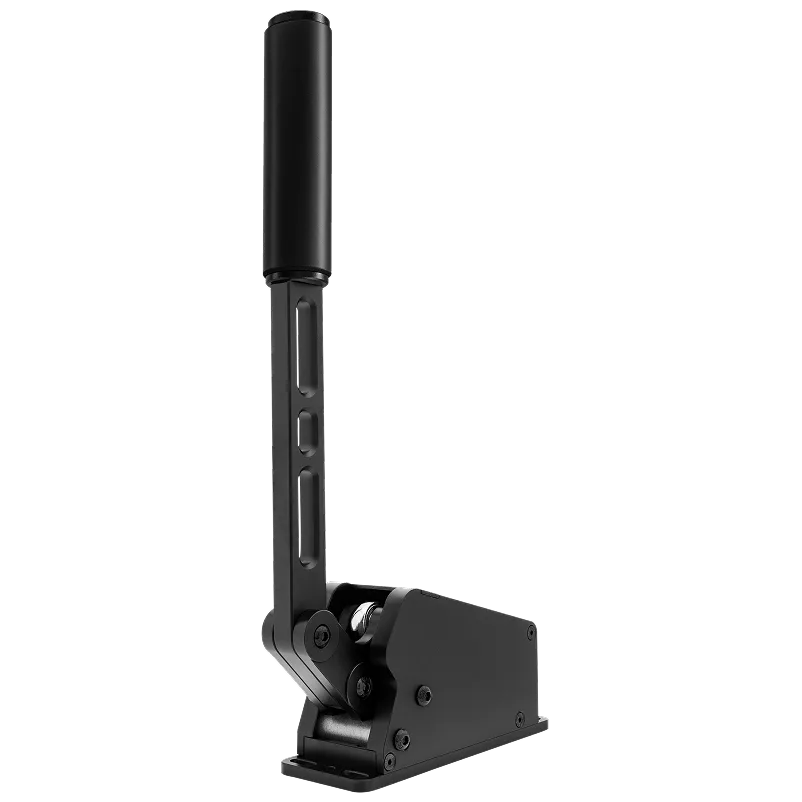
Simagic TB-1 Full-Metal Handbrake – 100 kg Load Cell, Dual-Mode Resistance