Quick Answer
To set up your TECKNET multi-device keyboard, first pair it with one device using the included 2.4G USB receiver, then pair up to three more devices via Bluetooth. Use the dedicated device keys to switch between them instantly.
Why Use a Multi-Device Keyboard?
If you work across a desktop, laptop, tablet, and phone, constantly swapping keyboards wastes time and desk space. A multi-device keyboard like the TECKNET Bluetooth Keyboard lets you control up to four devices from a single keyboard, keeping your workflow smooth and your desk clutter-free. The trade-off is that you must initially pair each device, which this guide simplifies.
Step-by-Step Pairing Guide
- 1. Insert the 2.4G Receiver and Power On: Plug the included USB receiver into your computer. Slide the power switch on the keyboard to ON. The keyboard will automatically connect via 2.4G within seconds. Common mistake: Forgetting to remove the receiver when switching to Bluetooth, which can cause confusion. Keep it plugged in only for the device you want on 2.4G.
- 2. Pair Your First Bluetooth Device: Press and hold the Bluetooth button (marked with a Bluetooth icon) for 3 seconds until the LED starts blinking rapidly. On your device (phone, tablet, or laptop), go to Bluetooth settings, select 'TECKNET Keyboard' from the list, and confirm pairing if a code appears. Checkpoint: If pairing fails, ensure the keyboard is not already connected to another device via Bluetooth. Turn off Bluetooth on other paired devices temporarily.
- 3. Pair Additional Bluetooth Devices: To pair a second or third device, press the Bluetooth button again to cycle to the next channel (the LED will blink in a different pattern). Repeat the pairing process for each new device. Common mistake: Pressing the button too quickly may skip a channel. Wait for the LED to indicate the correct channel before pairing.
- 4. Switching Between Devices: Once all devices are paired, press the 2.4G button to use the receiver-connected device, or press the Bluetooth button repeatedly to cycle through your three Bluetooth devices. The keyboard switches instantly with a 2-second delay. Checkpoint: If a device doesn't respond, ensure it's powered on and within 15 meters of the keyboard. Re-pair if necessary after a long disconnection.
Product Facts
-
TECKNET Bluetooth Keyboard Rechargeable, 4-Device Free Switching (2.4G+BT), Ultra-Slim Full Size Wireless Keyboard, Quiet Typing, for PC/Laptop/Smart TV/Phone, Adjustable Stand, 12 Multimedia Keys: Supports 4 modes: 3 Bluetooth connections and 1 2.4G connection, with auto-detection of operating systems. You can pair your PC via 2.4G for low latency and connect your phone, tablet, and smart TV via Bluetooth without unplugging any receiver.
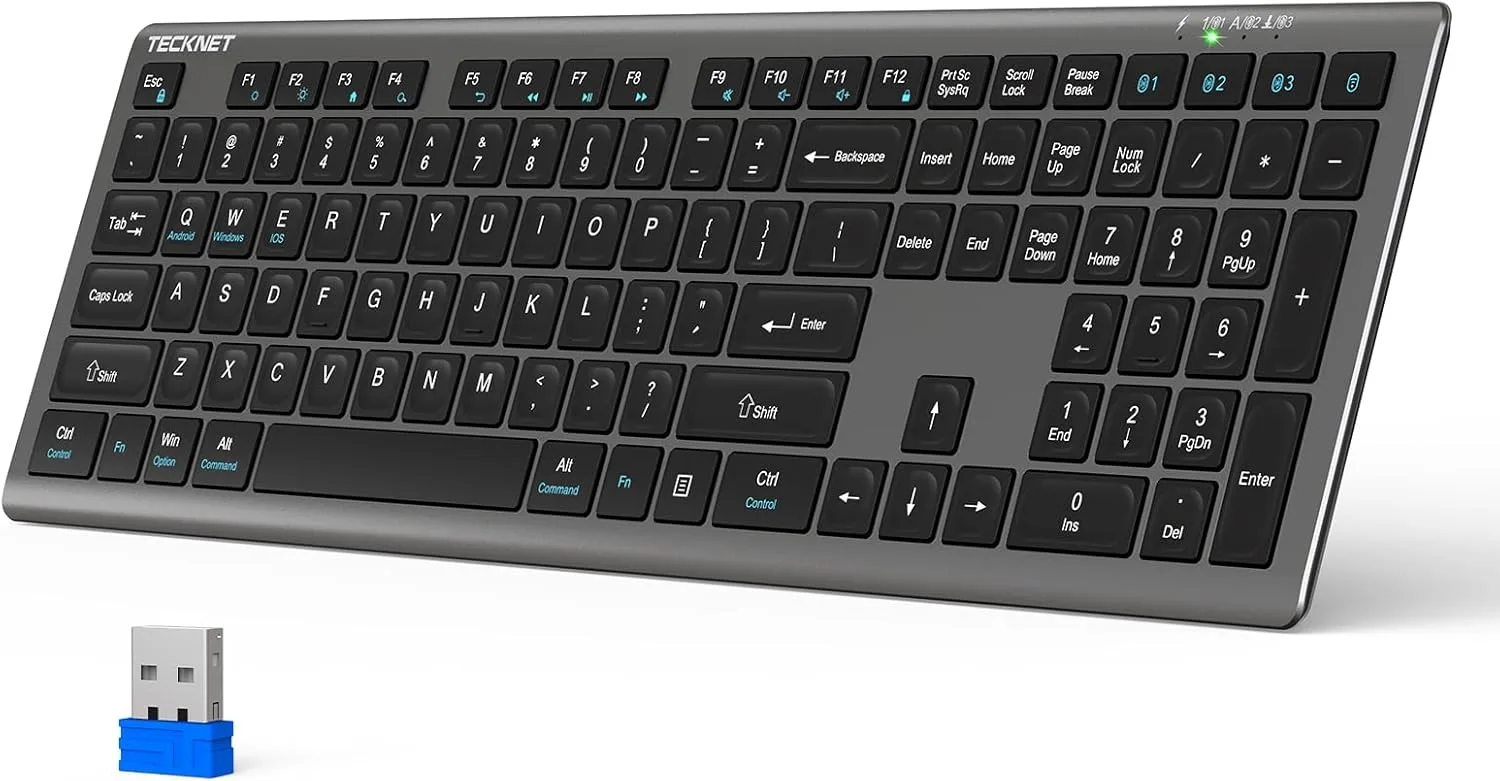
TECKNET Bluetooth Keyboard Rechargeable, 4-Device Free Switching (2.4G+BT), Ultra-Slim Full Size Wireless Keyboard, Quiet Typing, for PC/Laptop/Smart TV/Phone, Adjustable Stand, 12 Multimedia Keys