Quick answer
Adjust in this order: seat height first, then lumbar support, then armrests, then recline and tilt. Each setting changes the geometry of the next, so jumping straight to recline usually leaves your shoulders and lower back fighting the wheel. If your chair has a detachable headrest, set the rest of the chair before deciding whether to keep it.
Why the order matters more than any single setting
Most discomfort in a sim racing setup comes from one adjustment being made in isolation. Raising the seat changes where your arms land relative to the wheel; changing recline changes how much weight your lumbar support has to carry. Working top-down or bottom-up in a fixed order keeps each change from undoing the last one.
Do the whole sequence in one sitting, then leave it alone for a week. Small daily tweaks make it impossible to tell which setting is actually causing pressure.
Match the chair to your wheel position, not the other way around
Your pedals and wheel define the posture the chair has to support. If the wheel is mounted high and close, you will naturally sit more upright; if it sits low and far, you will lean back. Set the rig first, then adjust the chair to fit it.
This is also where a chair with limited adjustment range becomes a real constraint rather than a minor annoyance. A chair with height adjustment, tilt/recline lock positions, and height-adjustable armrests covers the common sim racing positions without forcing you to compromise your wheel placement.
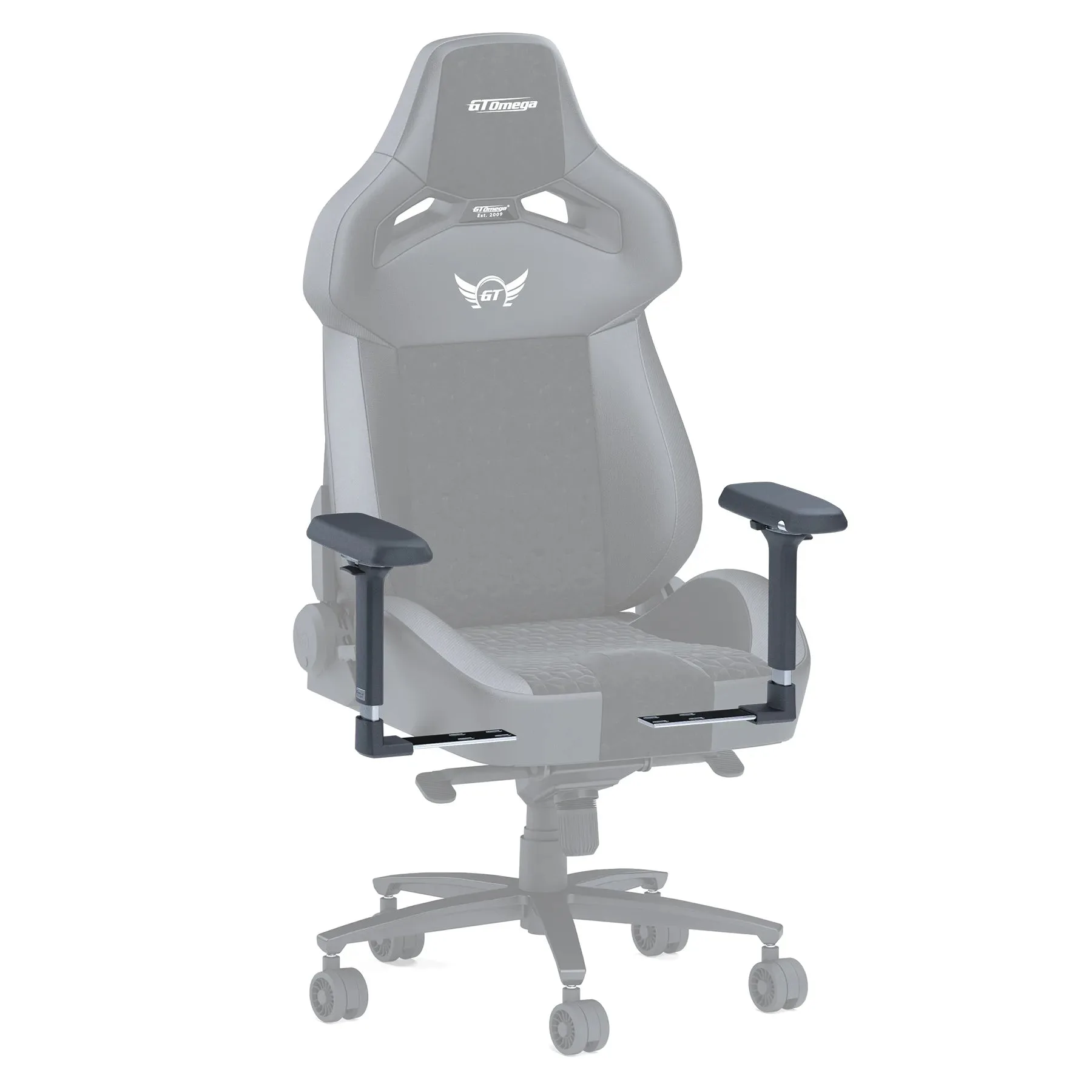
adjustable armrests
Step-by-step chair adjustment for sim racing
- Step 1: Set seat height so your heels rest flat: Sit in the chair with your pedals in their normal position. Raise or lower the seat until your heels sit flat on the pedal plate or floor with a slight bend in the knee, not a locked or over-compressed leg. Common mistake: setting height from your desk or monitor instead of your pedals. Your legs carry the braking force, so they set the baseline.
- Step 2: Dial in lumbar support depth before height: Push the lumbar support into your lower back until you feel contact without pressure, then raise or lower it to sit in the small of your back rather than against your ribs. On a 3D lumbar mechanism, adjust depth first, then height. Checkpoint: if you have to arch your back to feel the support, it is too low or too far forward.
- Step 3: Set armrest height so shoulders stay relaxed: Rest your hands on the wheel in your normal driving position. Adjust armrest height until your forearms are roughly parallel to the floor and your shoulders drop away from your ears. Move the armrests in or out so they sit under your forearms, not pushing them inward. Common mistake: setting armrests while sitting upright, then reclining. Recheck them after Step 4.
- Step 4: Choose a recline and lock it: Recline the backrest until your upper back is supported without your head tipping forward. Lock the position rather than leaving it floating, so braking force does not rock the backrest. Checkpoint: after locking, recheck armrest height and lumbar contact, since both shift with recline angle.
- Step 5: Decide on the headrest last: If your chair has a headrest, adjust height, angle, and depth so it supports the base of your skull without pushing your chin down. If it interferes with your sightline to the screen or your helmet-style seating position, remove it. A detachable headrest is a legitimate setup choice, not a missing feature. Remove it if it forces your neck forward.
- Step 6: Run one long stint before changing anything: Complete a full session at your normal length, then note where you felt pressure. Adjust only the setting tied to that specific complaint, one at a time. Common mistake: changing three settings after a short test. Give each adjustment a real session before judging it.
Chairs that suit this adjustment process
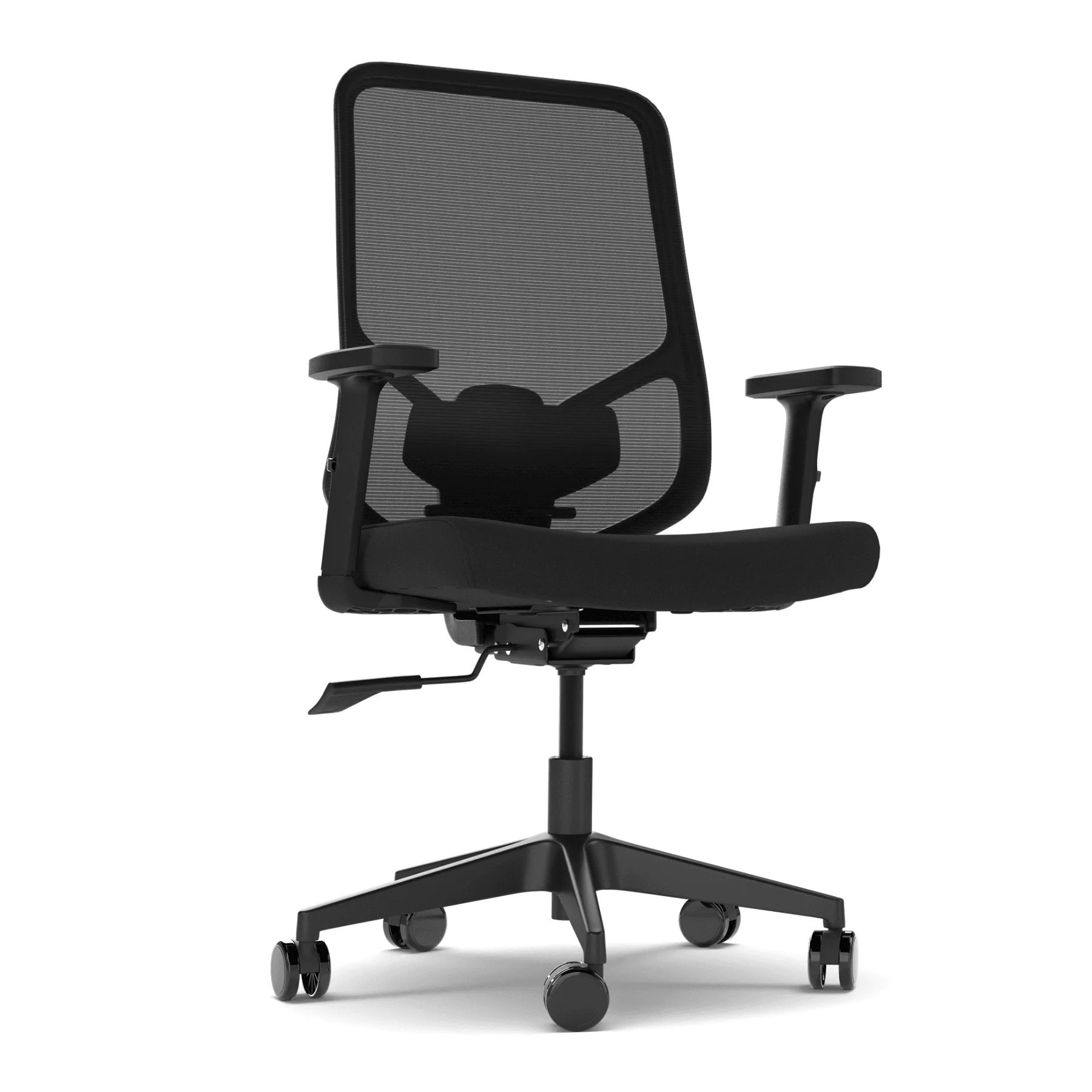
- CORE ONE Ergonomic Chair: The CORE ONE pairs a breathable mesh backrest with a fabric seat and offers height adjustment, tilt/recline lock positions, and height-adjustable armrests. Every step in this guide maps to a control the CORE ONE actually has, so you can complete the full sequence without skipping a stage.
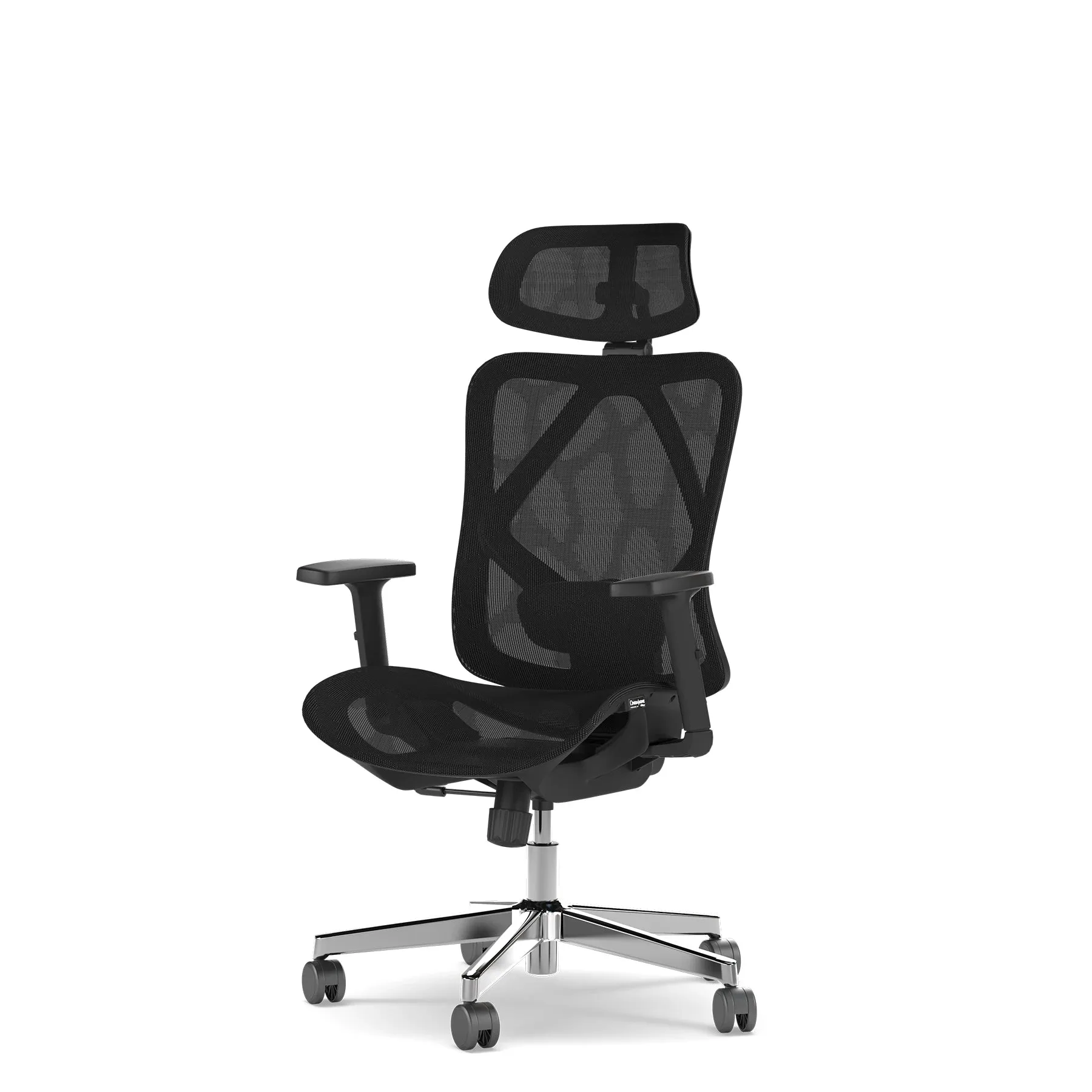
- ON-22 Ergonomic Chair: The ON-22 uses mesh across the seat, backrest, and headrest, with 3D adjustable lumbar support and a headrest that adjusts in height, angle, and depth and detaches entirely. The 3D lumbar adjustment lets you set depth as well as height, which matters when you are leaning back into a reclined sim racing position rather than sitting upright at a desk.