Quick Answer
Mount IR sensors and ultrasonic modules using purpose-built brackets that align the sensor at the correct height and angle, ensuring reliable obstacle detection without mechanical interference.
Why Bracket Choice Matters
A sensor that is mounted loosely or at the wrong angle can cause false readings or missed obstacles. A dedicated bracket keeps the sensor rigid and aligned, which is especially important on a moving robot where vibration can shift components.
The bracket you choose should match the sensor's mounting hole pattern and the chassis layout. For ultrasonic modules, the bracket typically holds the sensor facing forward; for IR sensors, the bracket often positions the sensor slightly downward to detect floor-level obstacles.
Trade-Offs: Fixed vs. Adjustable Mounting
Fixed brackets are simple and cheap, but they lock the sensor's angle. If your robot's design changes, you may need a different bracket. Adjustable mounts (like servo brackets) let you change the sensor's aim, which is useful for sweeping scans, but they add weight and complexity.
For most basic obstacle avoidance robots, a fixed bracket is sufficient. If you plan to use the sensor for mapping or scanning, consider a servo-based mount.
Step-by-Step Mounting Process
- Gather tools and parts: Collect the sensor, the matching bracket, screws, nuts, a screwdriver, and the robot chassis. Verify that the bracket's hole pattern matches the sensor's mounting holes. If the holes don't align, don't force it; get the correct bracket.
- Attach the sensor to the bracket: Place the sensor on the bracket and insert the screws through the sensor's holes into the bracket's threaded standoffs or through-holes. Tighten gently with a screwdriver—do not overtighten, as this can crack the PCB. Overtightening is a common mistake; use minimal force to secure the sensor.
- Position the bracket on the chassis: Choose a location on the chassis where the sensor will have a clear line of sight and won't collide with wheels or other parts. For ultrasonic modules, face the transducers forward; for IR sensors, angle slightly downward if detecting floor obstacles. Ensure the sensor doesn't block moving parts or get blocked by the chassis.
- Secure the bracket to the chassis: Use the provided screws and nuts (or chassis-specific hardware) to fasten the bracket. Tighten securely, but leave enough play to adjust the angle if needed before final tightening. Check that the sensor remains level and stable after tightening.
- Connect and test: Wire the sensor to your microcontroller, upload a simple test sketch, and verify readings while moving the robot by hand. Adjust the angle if the sensor misses obstacles or gives erratic readings. Test in the actual environment where the robot will operate, not just on a bench.
Product Facts
-
Ultrasonic Module Bracket: This Ultrasonic Module Bracket is designed to securely attach standard ultrasonic modules like the HC-SR04. It ensures the sensor stays firmly in place, so your distance readings remain consistent even when the robot moves or vibrates.
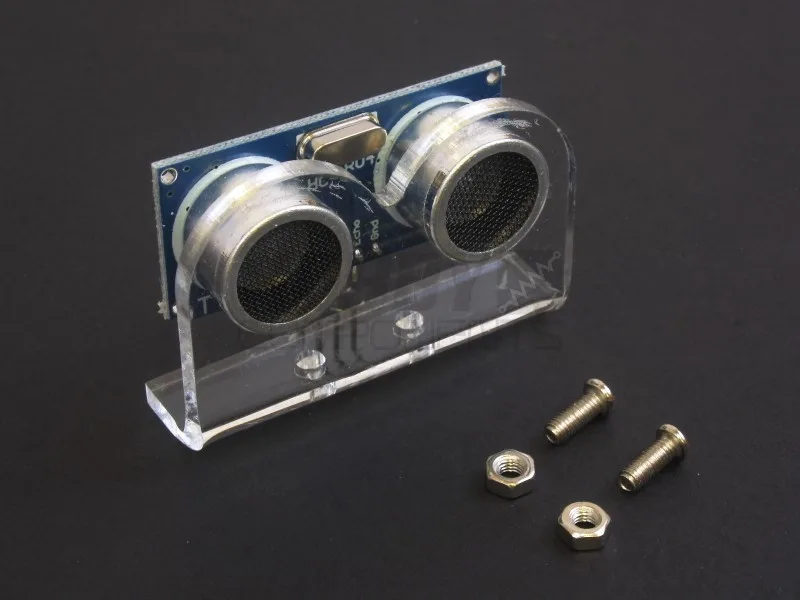
Ultrasonic Module Bracket
-
Bracket for IR infrared obstacle avoidance sensor: The Bracket for IR infrared obstacle avoidance sensor has two screw holes and comes with screws and nuts, and is ideal for mounting on smart cars like HCROBO0003 and HCROBO0002. It provides a quick and secure way to attach the IR sensor to common robot car chassis, reducing assembly time and preventing loose connections.
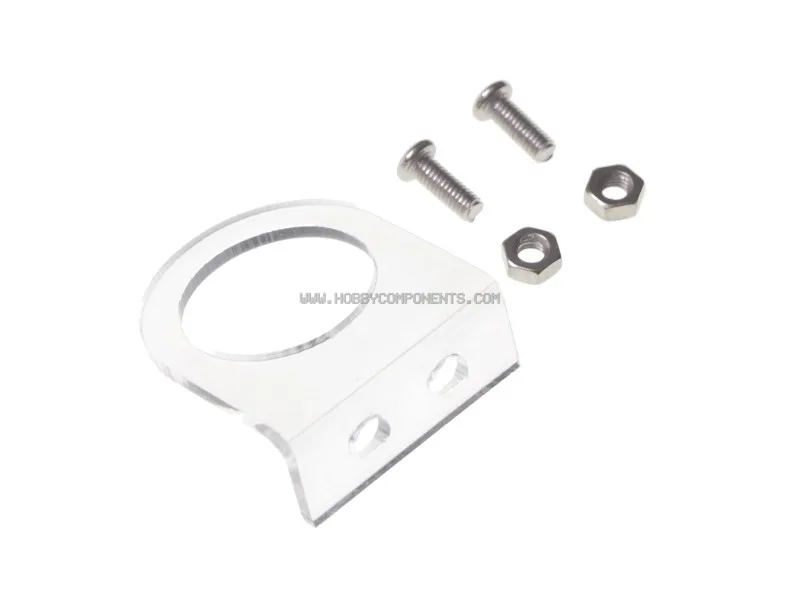
Bracket for IR infrared obstacle avoidance sensor