Quick Answer
Set up your Danchee Ridgerock's 4-wheel steering by centering both steering servos, adjusting end points on the transmitter, and fine-tuning the rear steering for tight rock lines.
Why 4-Wheel Steering Matters on the Ridgerock
The Danchee Ridgerock comes with four wheel steering from the factory, giving you tighter turning on technical rock trails compared to a standard two-wheel steer crawler. The rear axle can steer opposite the front for a smaller turning radius, or in the same direction for a crab-walk effect that helps you shift your line without changing the vehicle's heading.
Setting up the steering correctly is important because the factory trim and end point adjustments may not be perfect out of the box. A poorly centered servo can cause the rig to pull to one side, while overly aggressive rear steering can make the truck unstable on sidehills.
Tools and Preparation
You will need a small Phillips screwdriver, a hex wrench set (1.5mm and 2.0mm are common), and the included 2.4GHz transmitter with fresh batteries. Work on a flat, clean surface with the Ridgerock on a stand or upside down so the wheels hang free.
The Ridgerock arrives ready to run, so the battery and charger are included. Charge the battery fully before starting the setup to avoid low-voltage issues during servo adjustment.
Step-by-Step Setup
- Center the Front Steering Servo: Turn on the transmitter first, then the Ridgerock. Remove the servo horn screw from the front steering servo. With the transmitter steering trim at neutral, manually rotate the servo horn so the front wheels point straight ahead. Reinstall the horn screw. A common mistake is to move the wheels by turning the servo horn while the servo is powered — always keep the system on so the servo holds its center position. If the wheels still point off-center after this step, check that the steering trim on the transmitter is zeroed before adjusting the horn.
- Center the Rear Steering Servo: Repeat the same process on the rear steering servo. The rear wheels should also point straight ahead when the transmitter's rear steering channel is at neutral. On the Ridgerock, the rear steering is controlled by a separate channel (usually CH4 on the included radio). A common mistake is to center the rear servo while the front wheels are turned, which throws off the alignment. After centering, verify both axles point exactly straight by measuring from the center of the chassis to the wheel center on each side.
- Adjust Steering End Points: With the wheels still off the ground, turn the front steering fully left and right using the transmitter. Listen for binding or a buzzing servo — if you hear either, reduce the end point adjustment (EPA) for that direction on the transmitter. Repeat for the rear steering. A common mistake is setting end points too high, which can strip servo gears or overheat the servo. If the Ridgerock's servo binds before the wheels reach full lock, reduce EPA by 5% increments until the movement is smooth.
- Set Rear Steering Direction and Speed: Most Ridgerock transmitters let you choose between rear steer mode (opposite direction) and crab steer mode (same direction). Start with rear steer mode for technical crawling. Adjust the rear steering speed (if available) to be slightly slower than the front — this prevents the rear from oversteering on loose rocks. A common mistake is setting rear steering speed too fast, making the truck feel twitchy. On loose surfaces, a slower rear steering speed gives you more control when adjusting your line mid-climb.
- Test Drive and Fine-Tune: Drive the Ridgerock on a flat surface at low speed. Turn the steering fully and observe if the rear follows the front smoothly. If the rear seems to steer too much, reduce the rear EPA. If the truck pulls to one side when the steering is centered, re-check the servo horn alignment. A common mistake is skipping the test drive — small binding or trim issues only show up under load. If the truck still pulls after centering both servos, check that both front tires are inflated equally and that the suspension links are not binding.
Product Used in This Guide
-
Danchee Ridgerock RC Crawler - 4 Wheel Steering - 1:10 Brushed Rock Crawler: The Danchee Ridgerock is a 1:10 scale brushed electric rock crawler with four wheel steering for maneuverability on the rocks. Factory 4WS lets you adjust rear steering for tighter lines without aftermarket parts, but proper setup is needed to get the most out of it.
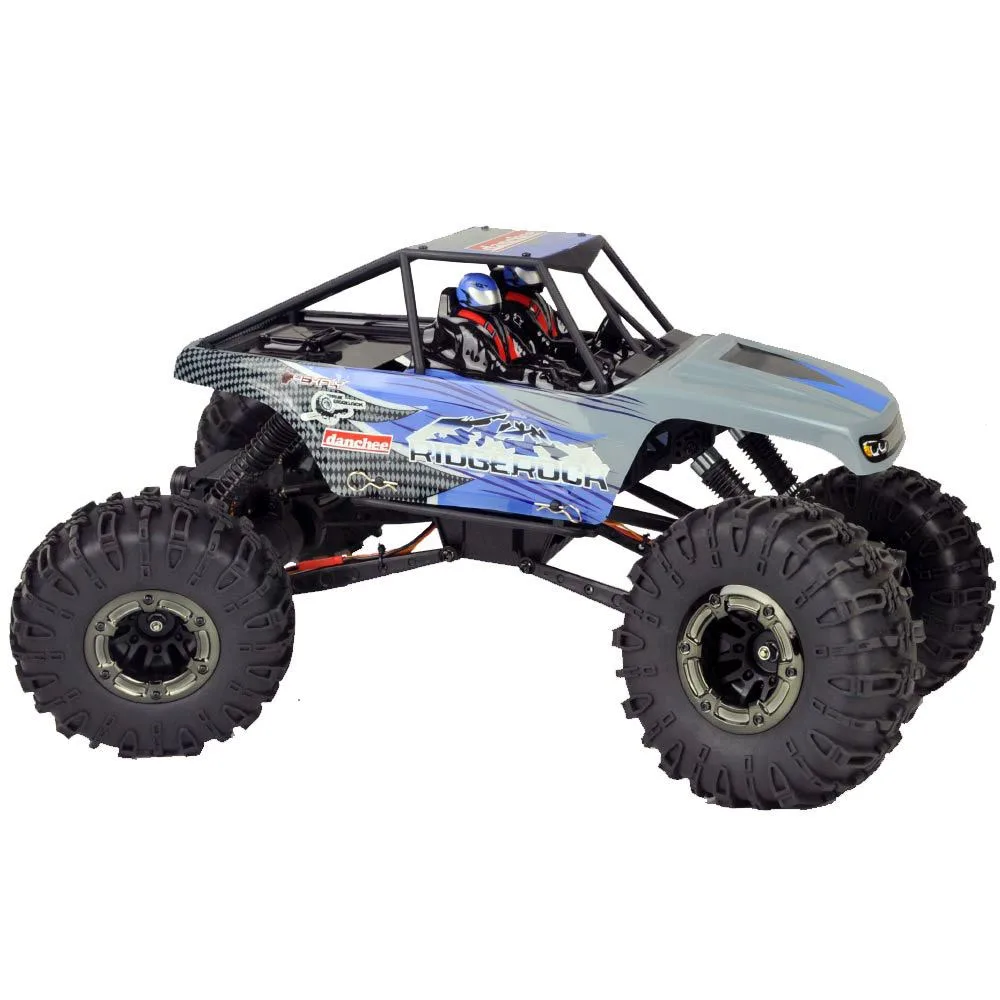
Danchee Ridgerock RC Crawler - 4 Wheel Steering - 1:10 Brushed Rock Crawler