Quick answer
A worn battery, a faulty charger, or a handle that has reached the end of its service life are the most common reasons an Oral‑B iO won’t hold a charge. Follow the diagnosis steps below to find the fix.
Battery chemistry and normal aging
All rechargeable lithium‑ion batteries lose capacity over time. After 300–500 full charge cycles, you may notice the brush runs for fewer sessions between charges. This is normal wear, not a defect.
If your iO is more than two years old and the run time has dropped noticeably, the battery may simply be reaching the end of its useful life. Replacement is the only permanent fix.
Charger or power source issues
Before assuming the toothbrush is broken, check the charging base and the outlet. A loose connection, a damaged charging coil, or a power strip that’s switched off can all prevent the handle from charging.
Try charging in a different outlet, and make sure the handle sits flat on the base. The iO indicator light should pulse or glow steadily when charging; if it doesn’t, the charger may need replacing.
Diagnosis steps
- Symptom: Brush runs for less than one full brushing session: Fully charge the handle (up to 12 hours). Use it for one 2‑minute brushing cycle. If it stops before finishing, the battery is likely worn out.
- Likely cause: Dirty or misaligned charging contacts: Wipe the charging base and the bottom of the handle with a dry cloth. Make sure there is no toothpaste residue or moisture. Re‑seat the handle and check for the charging light. If the light appears, the issue was contact contamination.
- Corrective action: Test with a known‑good charger: Borrow a friend’s iO charging base or use a spare if you have one. Charge for 2–3 hours and test run time. If the brush holds charge with a different base, replace your original charger. If the brush still fails with a good charger, the handle’s battery or internal electronics have failed.
- Decision point: Replace the handle: Once you’ve confirmed the charger works and the battery no longer holds a useful charge, it’s time to replace the toothbrush handle. Oral‑B iO handles are not user‑serviceable for battery replacement. Check warranty status first – some issues may be covered within the first two years.
Products mentioned
-
Oral-B iO Series 4 Rechargeable Electric Toothbrush, Matte Black: The Oral‑B iO Series 4 uses a rechargeable lithium‑ion battery and is compatible with the standard iO charging base. If you own an iO Series 4, the same diagnosis steps apply – and replacing the handle is often more cost‑effective than repairing an old battery.
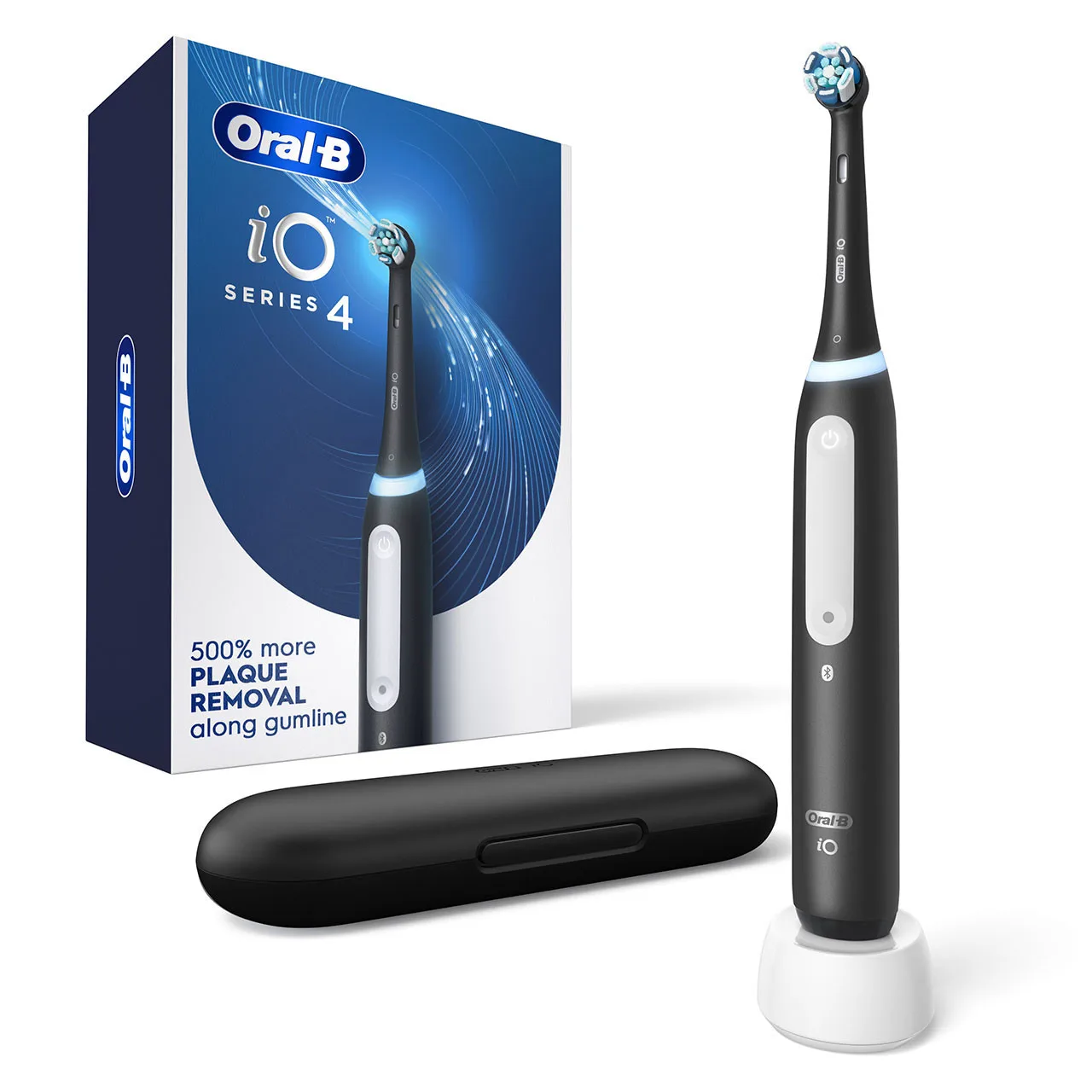
Oral-B iO Series 4 Rechargeable Electric Toothbrush, Matte Black
-
Oral-B iO Series 10 Twin Pack, Stardust White + Stardust White: The Oral‑B iO Series 10 Twin Pack includes two handles, each with a lithium‑ion battery rated for hundreds of charge cycles. For households with two users, the Twin Pack gives you a backup handle so you can rotate brushes and extend overall service life.
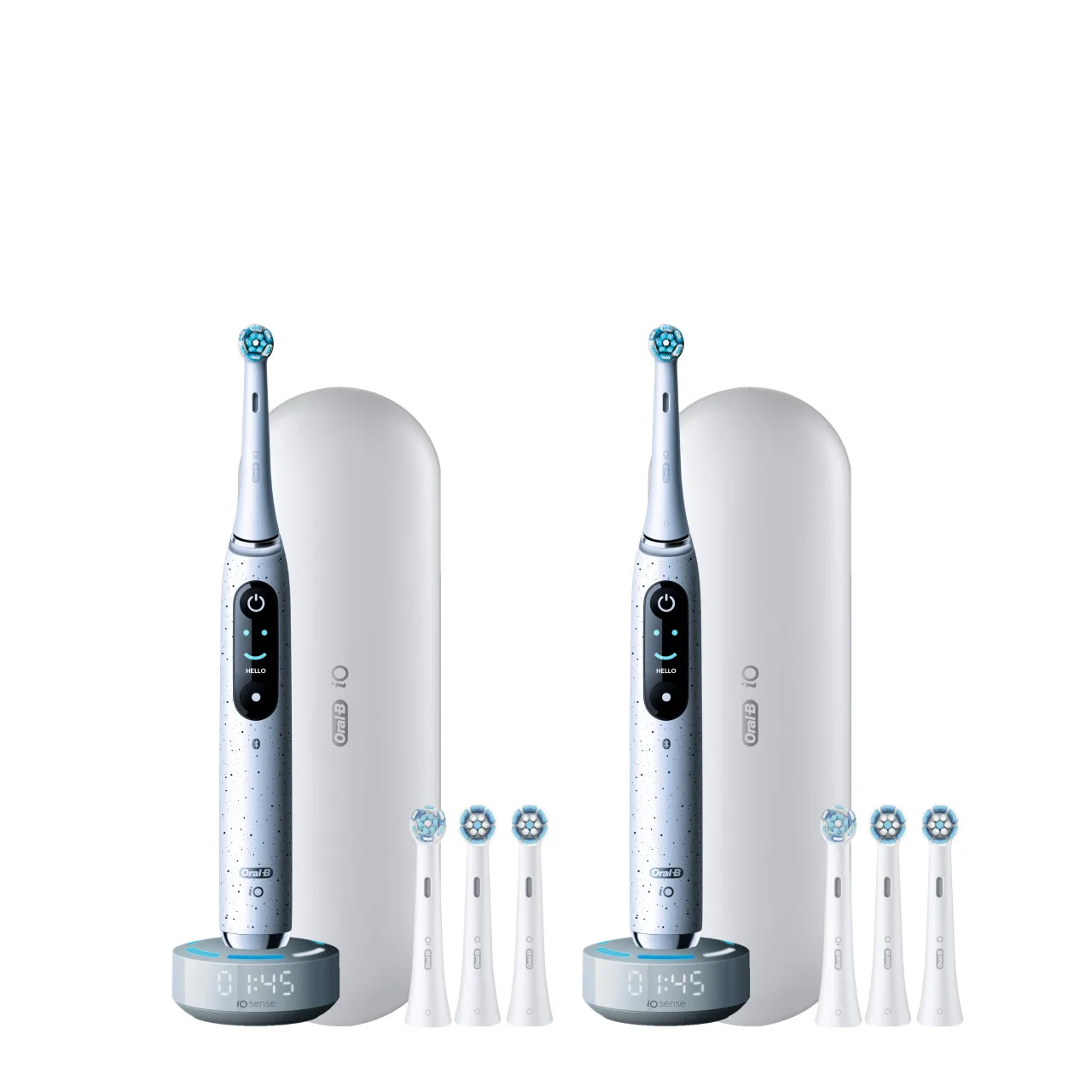
Oral-B iO Series 10 Twin Pack, Stardust White + Stardust White