Quick answer
To set up the 8BitDo Ultimate 2 Wireless Controller, charge it fully, then connect via 2.4G dongle on Windows or Bluetooth on Android. Use the included USB-C cable for wired mode with the lowest latency.
Why connection method matters
The Ultimate 2 supports three connection modes: 2.4G wireless (with the included dongle), Bluetooth, and wired USB-C. The 2.4G mode delivers a 1000Hz polling rate and the lowest latency, making it ideal for competitive PC gaming. Bluetooth is more convenient for Android devices but has slightly higher latency. Wired mode also achieves 1000Hz polling and avoids battery concerns during long sessions.
If you plan to use the controller on multiple platforms, note that the 2.4G dongle is detected as an Xbox 360 controller on Windows, so most games recognize it without extra configuration. Bluetooth mode uses a standard gamepad profile, but some older games may need remapping.
Understanding the extra controls
The Ultimate 2 adds two bumper buttons (R4 and L4) and two back paddle buttons. These can be remapped using the 8BitDo Ultimate Software on Windows or Android. The extra buttons are useful for actions like sprinting, reloading, or weapon switching without lifting your thumbs off the joysticks.
A common mistake is pressing the back paddles accidentally during intense gameplay. You can disable them in the software or adjust the sensitivity. The Fire Ring RGB lighting around the joysticks is cosmetic and does not affect performance.
Setup steps for Windows and Android
- Charge the controller fully: Connect the included USB-C cable to a 5V/1A charger or a USB port on your PC. A full charge takes about 2–3 hours. The LED on the controller will turn solid when charged. Do not use a fast charger above 5V/1A; it may damage the battery.
- Connect to Windows (2.4G mode): Plug the 2.4G dongle into a USB-A port on your PC. Slide the controller's switch to '2.4G' (or 'S' for Switch mode if you plan to use it on Switch later). Press the sync button on the dongle, then press the sync button on the top of the controller. The LED will turn solid when paired. If the controller does not connect, remove the dongle, restart your PC, and try again. Avoid plugging the dongle into a USB hub; use a direct port.
- Connect to Android (Bluetooth mode): Slide the controller's switch to 'B' (Bluetooth). Press and hold the sync button on top until the LED blinks rapidly. On your Android device, open Bluetooth settings, search for '8BitDo Ultimate 2', and tap to pair. Some Android games may not recognize the controller immediately. If that happens, enable 'Gamepad' or 'Controller' support in the game's settings, or use a third-party keymapper app.
- Use wired mode for lowest latency: Connect the USB-C cable directly to your PC or Android device. The controller automatically switches to wired mode. The 1000Hz polling rate is active in this mode, matching the 2.4G wireless performance. Wired mode also charges the controller, but avoid using a damaged cable that could cause intermittent disconnections.
- Remap buttons with the 8BitDo Ultimate Software: Download the 8BitDo Ultimate Software from the official website. Install it on Windows or Android. Connect your controller via USB or Bluetooth, then open the software. You can remap any button, adjust joystick sensitivity, set trigger dead zones, and customize the RGB lighting. Save your profile to the controller's onboard memory so it persists even when you switch devices. The software is not available for iOS or macOS.
Product highlights
-
8BitDo Ultimate 2 Wireless Controller - Black: TMR Joysticks '8Speed' with ultra-low latency and stable 2.4G connection, 1000Hz polling rate (2.4G and wired), Hall Effect triggers, extra bumpers (R4 and L4), 2 Pro back paddle buttons, trigger mode switch, Fire Ring RGB lighting. TMR joysticks provide precise, drift-resistant analog control, while 1000Hz polling ensures your inputs register faster than most standard controllers, giving you a competitive edge in fast-paced PC games.
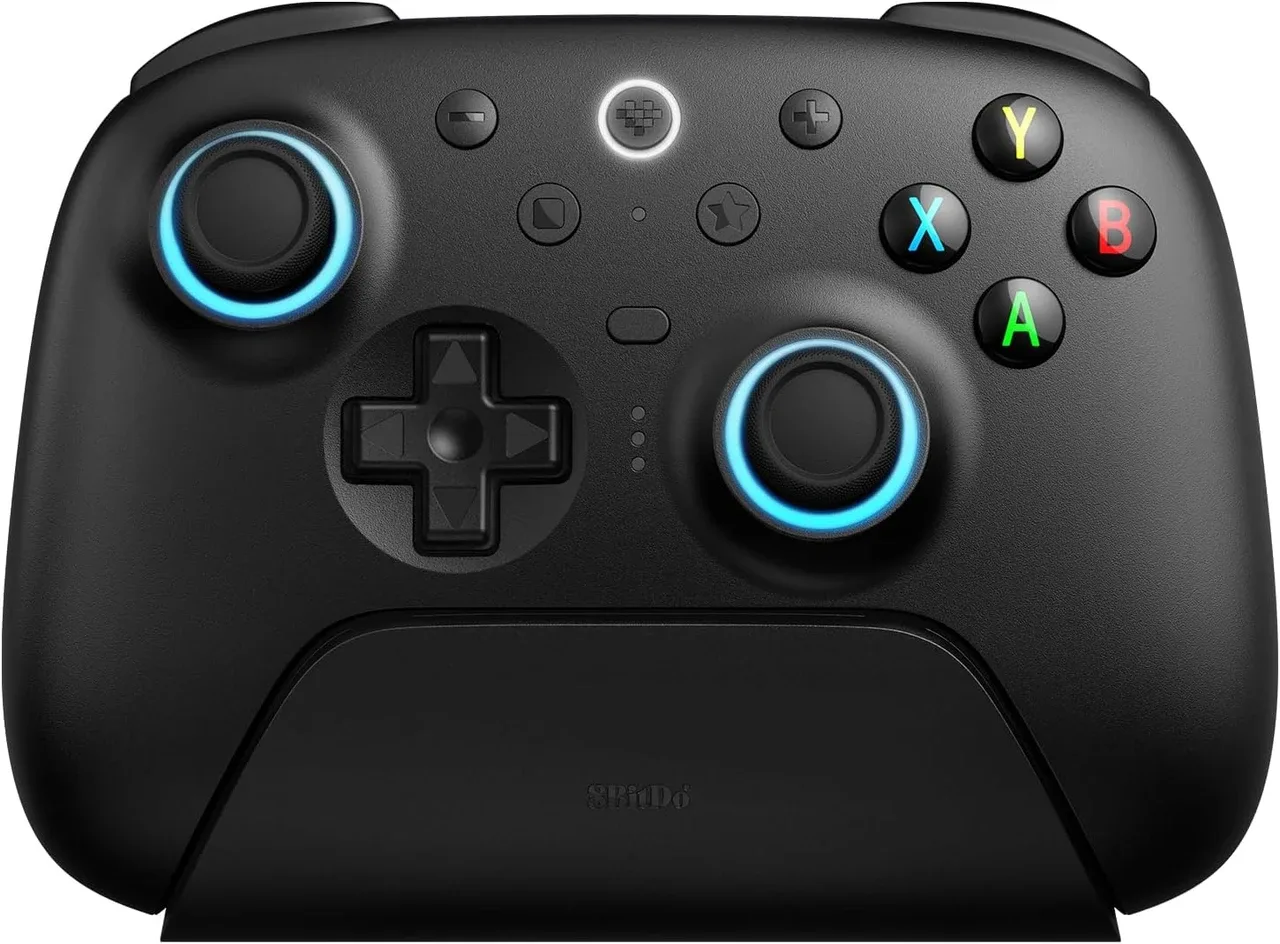
8BitDo Ultimate 2 Wireless Controller - Black