Quick answer
Set up BTA steering by mounting the servo on the axle with a stiff aluminum mount, centering the horn with the radio at neutral, then setting endpoints before you ever drive it. Work on the bench with the front axle supported, and confirm the drag link and tie rod stay clear of the chassis and links through full compression and droop. If anything binds, fix geometry before you add steering angle.
Behind-the-axle steering moves the servo off the chassis and onto the axle, so the drag link stays short and the steering stays predictable when the suspension cycles. On a Vanquish rig, the F10 aluminum servo mount is the anchor for that conversion, and the quality of your setup depends far more on the order of operations than on the parts themselves.
This guide walks through a complete BTA steering setup for a Vanquish crawler, from checking your axle and servo fit to setting endpoints and testing on the trail. It assumes you already have the mount and steering linkage in hand and that your front axle is out of the truck or at least fully accessible.
Before you start: what BTA steering changes
In a stock chassis-mounted steering layout, the servo pushes a long drag link that runs to the axle. As the suspension compresses, that link changes angle and can pull the steering off-center. BTA steering flips the arrangement: the servo sits on the axle, so the drag link is short and the steering geometry moves with the axle instead of fighting it. That is why BTA setups feel more consistent on technical climbs and side hills.
The tradeoff is packaging. You now have a servo, mount, and linkage competing for space near the diff, upper links, and panhard or triangulated link mounts. A rigid aluminum mount helps because it resists flex under load, but it also removes the forgiveness of a plastic mount that can flex out of the way. Plan for clearance first, then tune steering angle.
- Checkpoint: with the front axle at full compression and full droop, nothing should touch the servo, mount, or linkage.
- Common mistake: buying a high-torque servo before confirming the mount and linkage can clear the chassis at full articulation.
Step 1: Confirm your axle and servo mount compatibility
Before you install anything, verify that your axle and servo mount are meant to work together. The F10 aluminum servo mount fits specific Vanquish axle and kit families, so check the product page or your kit manual rather than assuming it drops onto every rig. If you are mixing brands, measure the mounting hole spacing and the servo case dimensions against the mount.
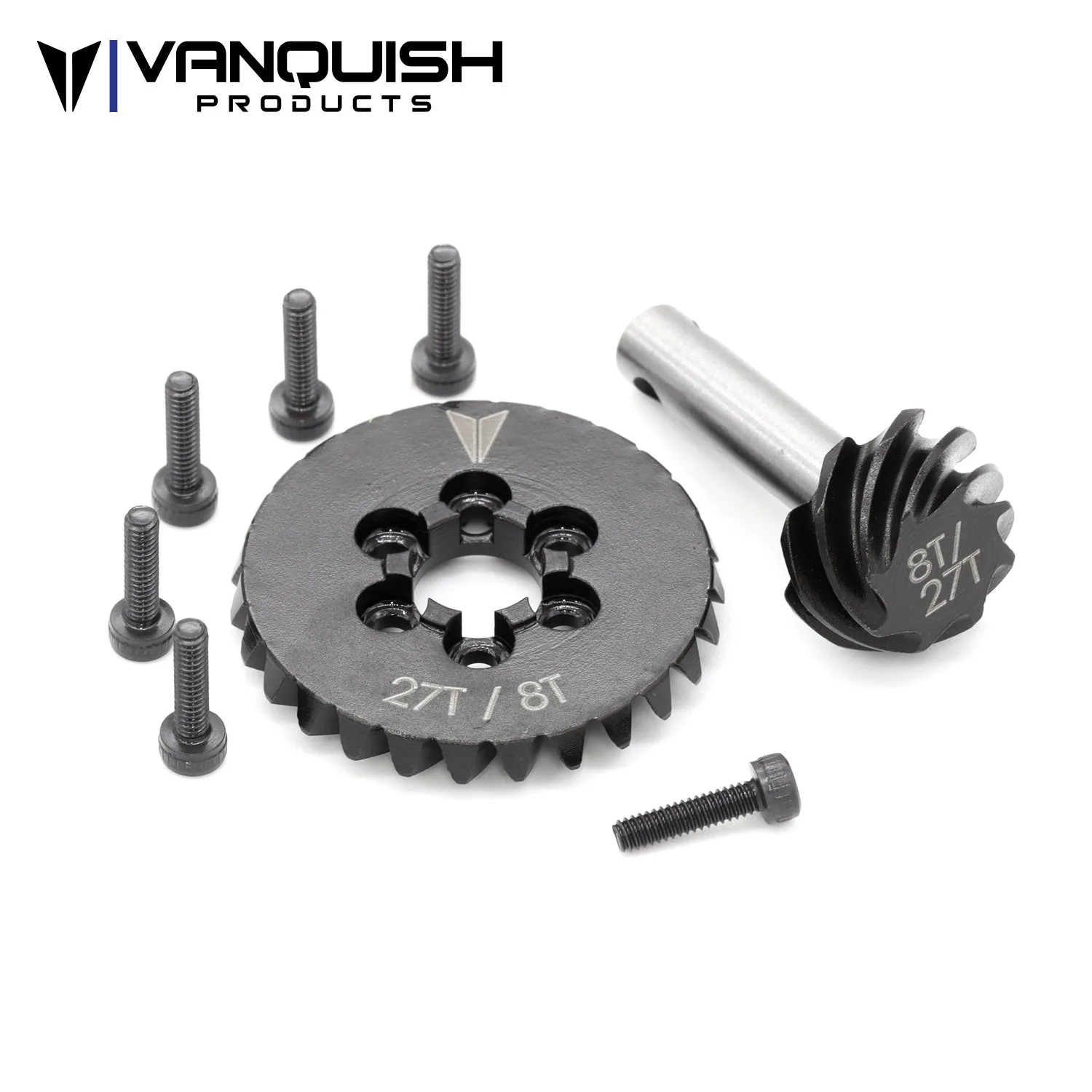
This is also the moment to decide whether you need any supporting parts. If you are running an overdrive gear set in the front axle, install it now while the axle is apart, because you will not want to tear the steering back down later. The AR44 Axle Overdrive Gear Set is a 27/8T ring and pinion set recommended for the front axle to achieve more overdrive, with a 9.5% increase in reduction from the stock 30/8 gearset.
- Checkpoint: dry-fit the servo into the mount with no hardware tightened and confirm the output shaft sits where your linkage expects it.
- Common mistake: forcing a servo into a mount with the wrong hole pattern and stripping threads before the build even starts.
Step 2: Mount the servo to the axle with the F10 mount
With the axle on the bench, attach the F10 aluminum servo mount to the axle housing using the hardware your kit specifies. Tighten in a cross pattern so the mount seats evenly, and keep the screws snug rather than gorilla-tight. Aluminum threads are strong but not infinite, and you want the mount flat against the housing, not bowed.
Once the mount is secure, install the servo into it. Route the servo lead so it exits toward the chassis and cannot be pinched by the link or the axle at full compression. If your servo has a removable horn, leave it off for now; you will install it after the radio is set to neutral.
- Checkpoint: the servo body should not rock or shift when you push on it by hand.
- Common mistake: overtightening mount screws and crushing the servo case or stripping the axle housing threads.
Step 3: Center the servo and install the horn
Power up the radio and receiver with the steering trim at zero and the steering dual rate at 100%. Let the servo center itself, then install the horn so it points straight ahead relative to the axle. If the splines do not line up perfectly, choose the closest tooth rather than using trim to correct a large offset. Trim should fine-tune, not compensate for a horn installed a quarter turn off.
This is also when you set the servo saver or horn hardware. Follow the servo manufacturer's torque guidance, and remember that a metal horn on a metal output shaft needs thread locker only if the manufacturer calls for it. Over-application can wick into the servo and cause problems later.
- Checkpoint: with the radio at neutral, the horn should be perpendicular to the axle centerline and the wheels should point straight ahead.
- Common mistake: using subtrim or trim to fix a badly indexed horn, which steals steering travel from one side.
Step 4: Build the drag link and tie rod with clearance in mind
Connect the drag link from the servo horn to the steering knuckle, then set the tie rod so the wheels track parallel or with a small amount of toe-in for stability. Keep the drag link as close to parallel with the axle as your mount allows. If the link angles sharply up or down, you will get bump steer even with BTA steering.
Check clearance at the diff cover, upper links, and any chassis braces. On a Vanquish rig with a VFD transmission, the front driveline and motor plate area can be tight, so rotate the servo horn or adjust link length before you start bending parts. If you need to replace a damaged motor plate during the build, the VFD Aluminum Motorplate Black is machined from 6061 aluminum and fits VPS09005 and VPS09006 Ultra Kits as well as VPS10152 VFD Transmission Kit.
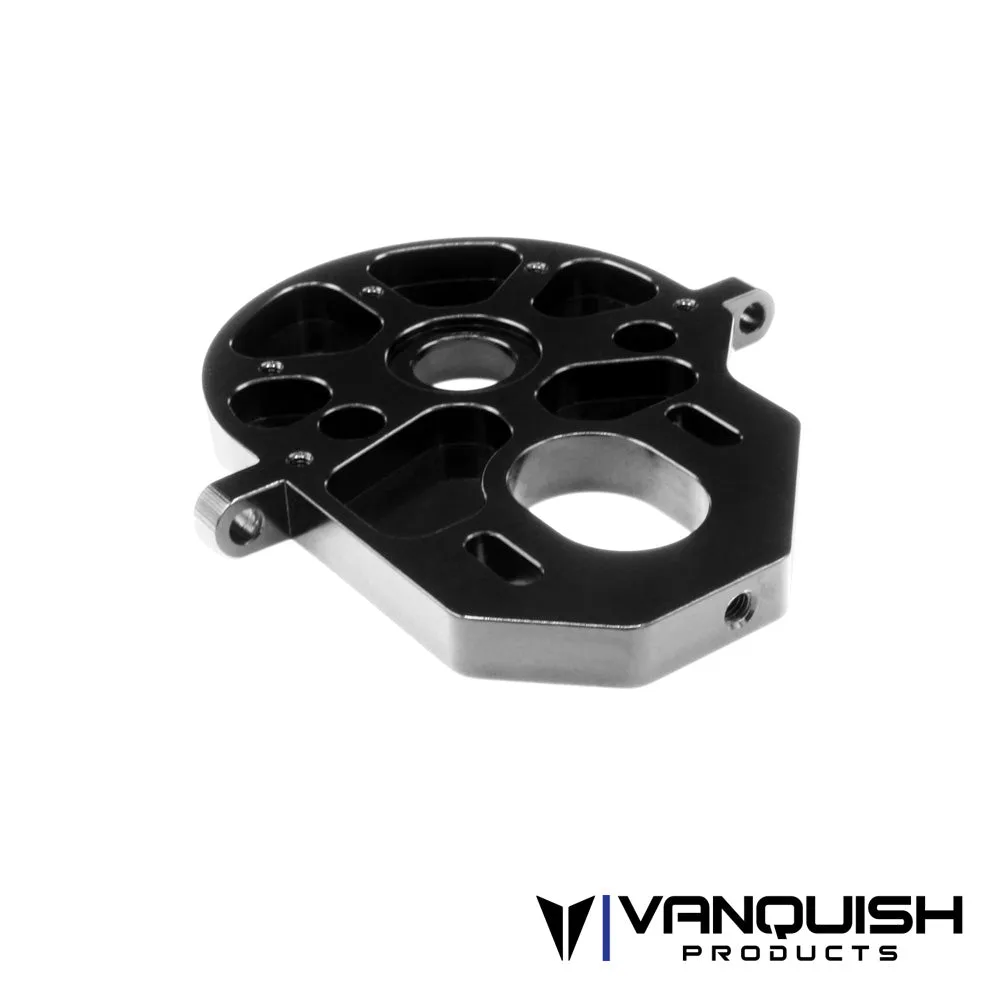
VFD Aluminum Motorplate Black
- Checkpoint: cycle the suspension by hand through full compression and droop and watch the drag link for contact.
- Common mistake: setting the drag link length by eye and ending up with the steering off-center at ride height.
Step 5: Set steering endpoints before you drive
Turn the radio on and slowly steer to full left, then full right, watching the knuckles and linkage. Stop before anything binds, and set your endpoint there. Do not let the servo buzz or strain at full lock; that is the sound of a servo fighting a mechanical stop, and it will shorten its life. Repeat the endpoint adjustment until you have maximum usable travel with no binding.
If you run an overdrive front axle, remember that steering angle and gear reduction are separate adjustments. The AR44 Axle Overdrive Gear Set includes grade 12.9 M2 hardware for attaching to the axle spool and is compatible with Vanquish F10, H10, Axial AR44, Capra, and AR45 axles, among others. One gear set is required per axle, so plan your front and rear gearing before final assembly.
- Checkpoint: at full lock, you should be able to slip a small gap between the tire and any link or shock.
- Common mistake: leaving endpoints at default and letting the servo stall against the knuckle stop on every turn.
Step 6: Test on the bench, then on the trail
With the truck on a stand, run the steering through its full range several times and watch for flex in the mount, link, or axle. A rigid aluminum mount should show almost no movement. If you see the mount or axle flexing, check that all hardware is tight and that the mount is seated flat. Then set the truck on the ground and drive slowly over an obstacle to feel for bump steer or binding.
Bring tools for the first trail run. New linkages settle, and a screw that felt tight on the bench can loosen after a few articulation cycles. A short test session on easy terrain will reveal more than an hour of bench cycling.
- Checkpoint: after the first run, re-check the servo mount screws, horn screw, and link ends.
- Common mistake: skipping the post-run fastener check and losing a link or horn on the trail.
BTA steering setup checklist
- Verify fit before assembly: Confirm your axle, servo mount, and servo are compatible, and dry-fit the servo into the mount with no hardware tightened. Checkpoint: the servo output shaft should sit where your linkage expects it.
- Mount the servo on the axle: Attach the F10 aluminum servo mount to the axle housing in a cross pattern, then install the servo and route the lead away from moving parts. Checkpoint: the servo should not rock when pushed by hand.
- Center the horn with the radio at neutral: Set steering trim to zero and dual rate to 100%, let the servo center, then install the horn pointing straight ahead. Checkpoint: wheels straight ahead with no trim correction.
- Build the drag link and tie rod: Keep the drag link close to parallel with the axle and set toe-in slightly for stability, checking clearance at the diff, links, and chassis. Checkpoint: no contact through full compression and droop.
- Set endpoints before driving: Steer to full lock each way and stop before the servo binds, then set the endpoint there. Checkpoint: no servo buzz or strain at full lock.
- Test on the bench, then the trail: Cycle the steering on a stand, then drive slowly over an obstacle and re-check all fasteners afterward. Checkpoint: mount screws, horn screw, and link ends still tight after the first run.
Parts that support this setup
- AR44 Axle Overdrive Gear Set - 27T/8T: 27/8T ring and pinion overdrive gear set recommended for use in the front axle to achieve more overdrive, with a 9.5% increase in reduction from the stock 30/8 gearset; fully machined hardened ring and pinion with laser etched Vanquish logo and tooth count, includes grade 12.9 M2 hardware, one gear set required per axle, compatible with Vanquish F10, H10, Axial AR44, Capra, and AR45 axles. If you are already rebuilding the front axle for BTA steering, installing overdrive gearing now saves you from tearing the steering apart later and gives you the front-biased reduction many crawlers use for climbing.
- VFD Aluminum Motorplate Black: Machined from 6061 aluminum, black anodized, fits VPS09005 and VPS09006 Ultra Kits and VPS10152 VFD Transmission Kit, replacement part for VPS09003 and VPS09004 Pro Kits, package includes one motor plate. BTA steering moves the servo to the axle and can change how you route wiring and access the transmission area; if your stock motor plate is stripped or flexing, this is a direct-fit replacement while the truck is apart.
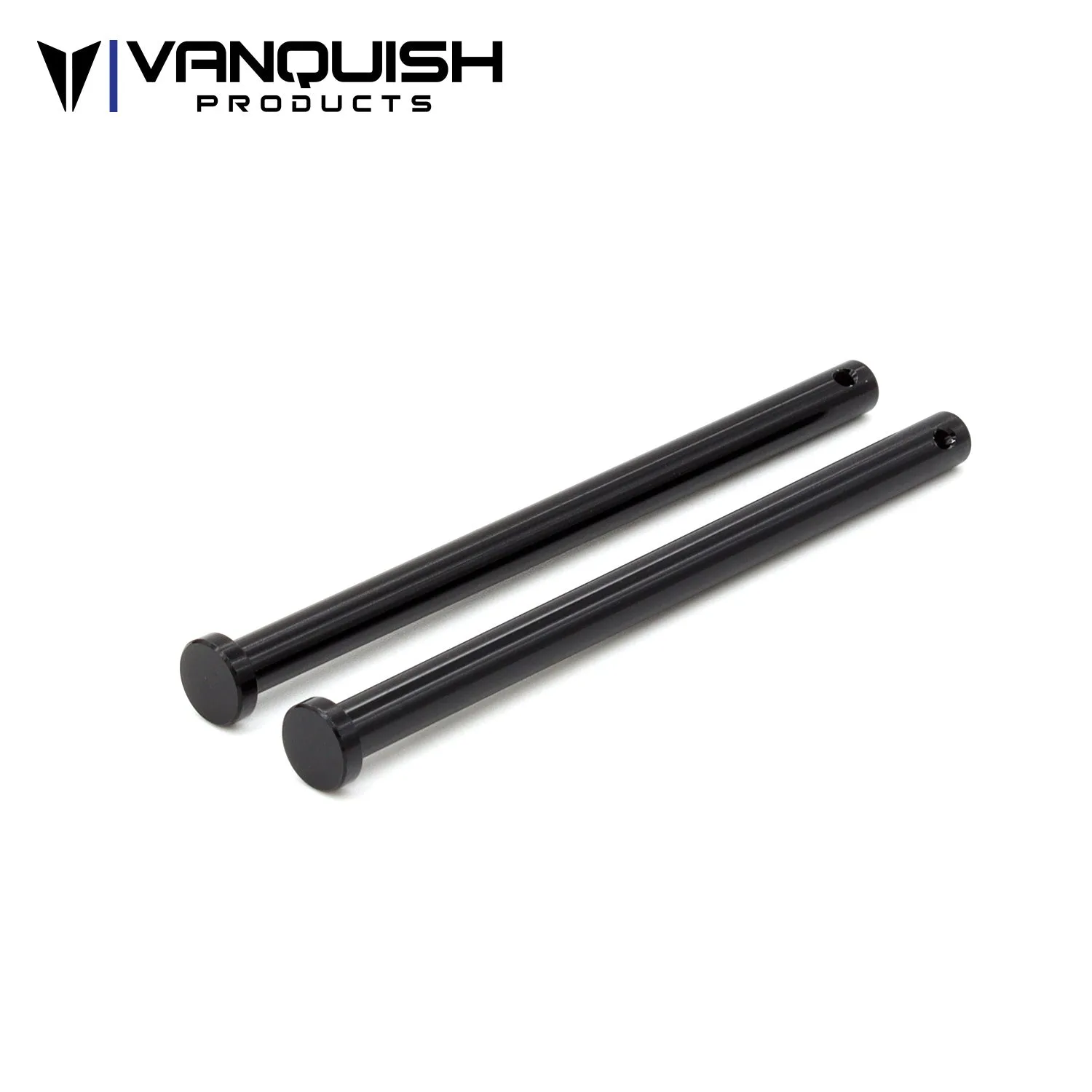
- H10 Aluminum Body Retaining Posts: The H10 Optic Kit and RTR use molded plastic pins to retain the battery tray and side body panels; this pair of machined aluminum 6061 black anodized pins replaces the factory plastic parts, compatible with VPS09010 and VPS09027, replacement part for VPS09020 Origin Kit. If you are already pulling body panels to access the front end for steering work, upgrading to aluminum retaining posts reduces the chance of stripping plastic pins on repeated removals.
A BTA steering setup lives or dies on the order you do things: fit, mount, center, link, endpoint, test. Take the time to check clearance at full compression and droop before you chase steering angle, and your Vanquish rig will steer consistently where it matters most.