Quick answer
Mount the CLASSIC Wheel Stand Gear Shifter Mount V1 on either side of your wheel stand using the included hardware. Align the pre-drilled plate with your shifter, tighten all bolts, and check for play before your first race.
Why mount placement matters
The CLASSIC V1 mount is designed to attach to both left and right sides of your wheel stand, so you can set it up for your dominant hand or cockpit layout. Choosing the wrong side may force awkward arm angles during fast shifts.
Most sim racers prefer the shifter on the same side as their real-world driving experience. If you drive a left-hand-drive car, the shifter typically goes on the left; for right-hand-drive, it goes on the right. But in sim racing, you can place it wherever feels natural.
What you need before starting
You'll need the mount itself, the bolts and washers that came with it, and a hex key or screwdriver (depending on your stand's mounting points). Have your shifter nearby to test fitment before tightening everything down.
The mounting plate is pre-drilled to fit many popular gear shifters. If your shifter uses a different bolt pattern, you may need an adapter plate or to drill custom holes—this isn't covered by the mount's design.
Step-by-step installation
- 1. Choose your mounting side: Decide whether to install the mount on the left or right side of your wheel stand. Loosen the stand's side bracket bolts if needed to slide the mount into position. Test your arm reach before tightening. If your elbow is locked or your wrist is bent, switch sides.
- 2. Attach the mount to the stand: Line up the mount's bracket with the wheel stand's side rail. Insert the bolts through the bracket holes and into the rail, then hand-tighten them. Do not fully tighten yet—you may need to adjust the angle. Common mistake: overtightening before adjusting the angle can strip threads or crack the bracket. Keep bolts snug but movable.
- 3. Mount your gear shifter: Place your shifter onto the pre-drilled plate. Align the screw holes on the shifter with the holes on the plate. Insert and tighten the screws that came with your shifter (or the mount's hardware if compatible). Check that the shifter sits flat. A tilted shifter can cause missed shifts or wear on the mechanism.
- 4. Adjust the angle and height: Tilt the mount up or down to your preferred shifter angle. Many racers prefer a slight forward tilt for H-pattern shifters and a more upright angle for sequential shifters. Tighten all bolts once you're satisfied. If the mount feels loose after tightening, add a washer or thread-locker (blue Loctite) to prevent vibration loosening.
- 5. Test for stability: Grip the shifter and simulate a few shifts. Rock the mount side to side and front to back. If there's any movement, re-tighten all bolts. If the stand itself wobbles, consider adding a support brace. A stable mount prevents the shifter from pulling away from the stand during aggressive driving. Recheck after your first few sessions.
Product facts
-
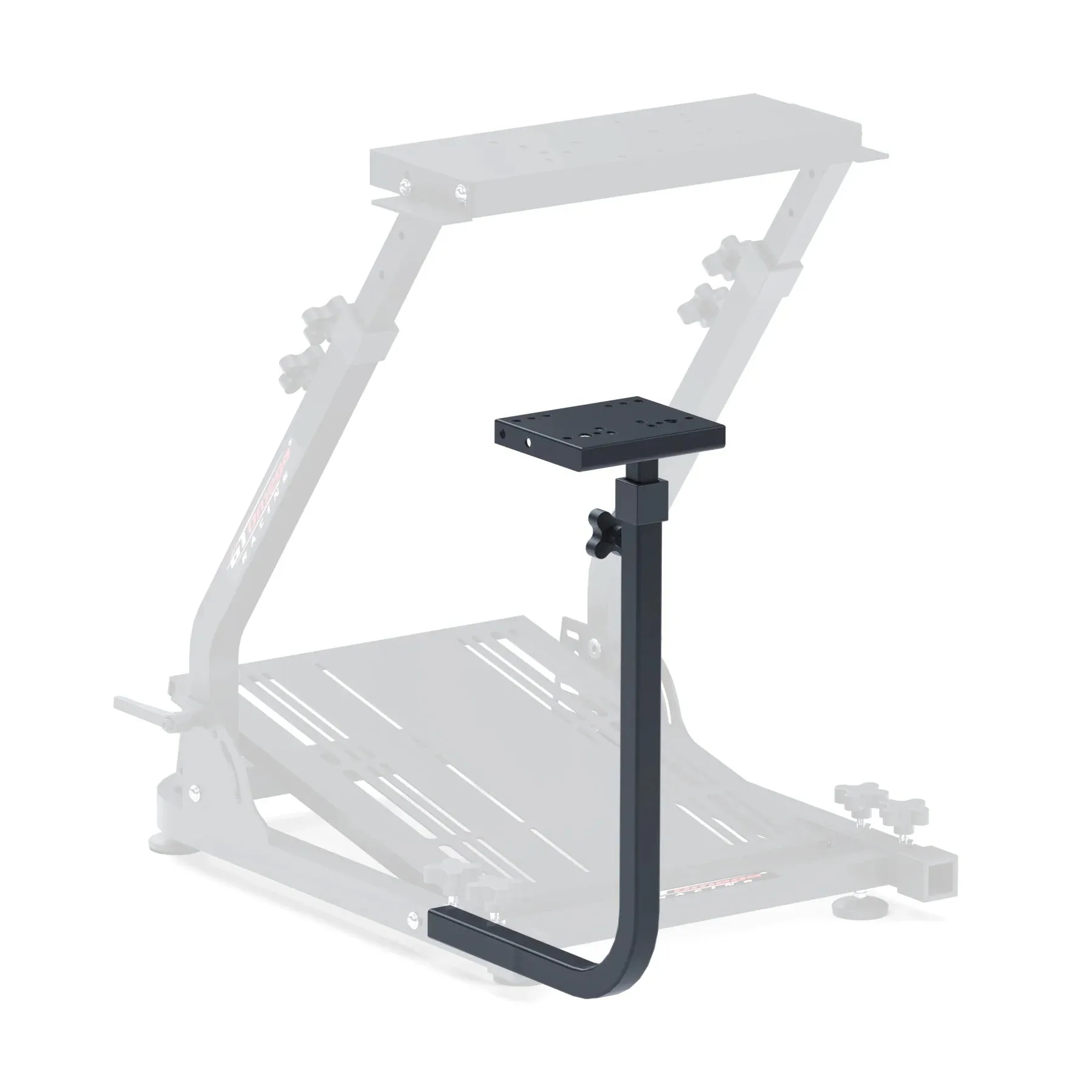
CLASSIC Wheel Stand Gear Shifter Mount V1: The Classic V1 Gear Shifter Mount is designed to be mountable on both left and right hand sides so it can be used by all users. You don't need to buy a separate mount for left- or right-hand setups—this one works for both, saving money and simplifying installation.
CLASSIC Wheel Stand Gear Shifter Mount V1
-
CLASSIC Wheel Stand Gear Shifter Mount V1: The mounting plate is pre-drilled so that it can mount a lot of the most popular gear shifters on the gaming market today. Most common shifters (like those from Logitech, Thrustmaster, and Fanatec) bolt directly on without additional drilling or adapters.