Quick Answer
Unpack your Barista Touch Impress, fill the water tank, run a cleaning cycle without coffee, then dial in the grind with the built-in guidance. This setup takes about 20 minutes and prepares the machine for its first real shot.
Why a Proper First Setup Matters
Skipping the initial rinse or ignoring the Impress Puck System calibration can lead to channeling, weak espresso, or error messages later. The Barista Touch Impress uses real-time feedback to guide you through each step, but you still need to follow the sequence in order. A few minutes of careful setup now saves you from troubleshooting bad shots later.
What You Need Before You Start
You will need filtered or bottled water (avoid distilled), a soft cloth, and a few minutes of uninterrupted time. The machine comes with a cleaning tablet sample; keep it aside for the weekly cleaning cycle, not for first setup. Do not use coffee beans or grounds during the initial rinse — the goal is to flush the internal plumbing and heat exchanger.
Step-by-Step Setup Process
- Unbox and Inspect: Remove all packaging materials, including the plastic film on the drip tray and the orange transport lock inside the bean hopper. Check that the water tank, portafilter, and cleaning tool are present. Keep the transport lock in a safe place — you will need it if you move the machine later.
- Fill and Insert the Water Tank: Remove the water tank from the machine, fill it with fresh filtered water up to the MAX line, and reinsert it firmly until it clicks. The machine will not operate if the tank is not seated correctly. Use filtered water to reduce scale buildup; do not use distilled or softened water as it can affect the machine's sensors.
- Prime the System and Run the Initial Rinse: Turn the machine on using the power button. The display will prompt you to run a cleaning cycle. Follow the on-screen instructions: place a large container under the group head and steam wand, then press start. The machine will flush water through the system for about 30 seconds. Do not skip this step — it removes any manufacturing residues and ensures the ThermoJet system is fully primed.
- Set Up the Impress Puck System: After the rinse, the machine will guide you through the Impress Puck System calibration. Insert the single-wall filter basket into the portafilter, add coffee grounds (use a medium roast), tamp, and insert the portafilter. The machine will assess the puck and suggest grind adjustments. Start with the default grind setting (around 15) and adjust based on the on-screen feedback — the goal is a smooth, even tamp without excessive pressure.
- Dial In the Grind Size for Your First Shot: Use the grind size dial on the left side of the machine. Make small adjustments (1-2 numbers at a time) and pull a test shot. The display will show extraction time and pressure — aim for a 25-30 second shot with steady pressure in the optimal zone. If the shot runs too fast, grind finer; if it drips slowly, grind coarser. Write down your final setting for that coffee bean.
- Steam Wand Initial Purge: Before steaming milk for the first time, purge the steam wand by turning the steam dial for 2 seconds. This clears any water from the system and ensures dry steam. Then practice texturing milk using the automatic microfoam setting. Always purge the wand before and after steaming to prevent milk residue from clogging the tip.
Product Used in This Guide
-
the Barista Touch™ Impress: The Barista Touch Impress features the ThermoJet heating system for fast heat up and up to 32% more energy efficiency compared to a Thermoblock system. During first setup, the machine will be ready for the rinse cycle in about 3 seconds, so you do not have to wait long to proceed.
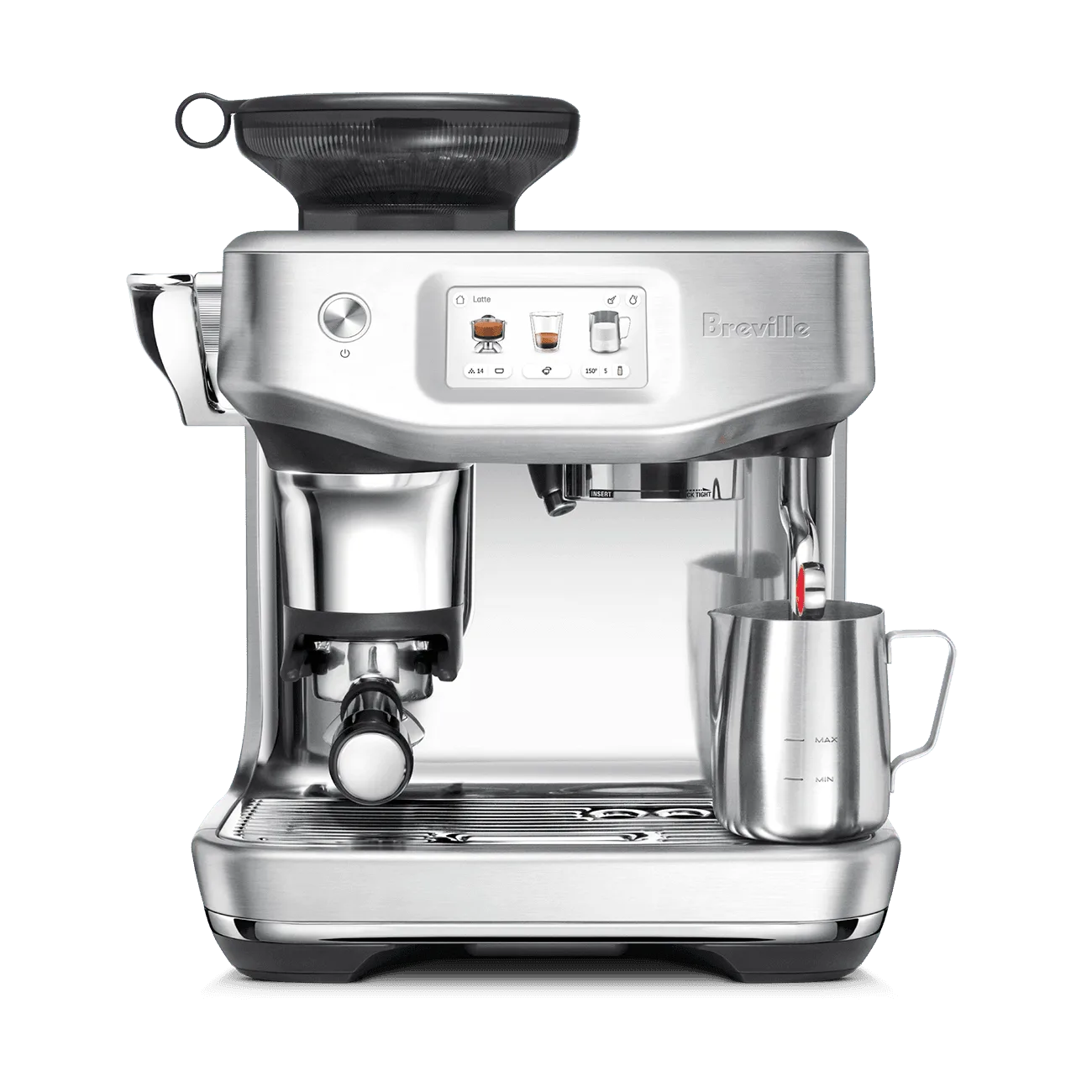
the Barista Touch™ Impress