Quick answer
Plug the Keydous 2.4Ghz dongle into a USB port, ensure your keyboard is in pairing mode, and let them sync. The process takes under 30 seconds.
Why use the 2.4Ghz dongle instead of Bluetooth?
The 2.4Ghz dongle provides a dedicated wireless link with lower latency and fewer interference issues compared to Bluetooth. It's ideal for gaming or fast typing where every millisecond counts. However, the dongle occupies a USB port, so plan your setup accordingly.
Common pairing pitfalls
The most frequent issue is inserting the dongle into a USB hub or extension cable that doesn't supply enough power or data bandwidth. Plug the dongle directly into your computer's USB port for best results. Also, ensure your keyboard's battery is charged if it's wireless—low battery can prevent successful pairing.
Step-by-step connection guide
- 1. Insert the dongle: Plug the Keydous 2.4Ghz dongle directly into a USB-A port on your computer. Avoid using USB hubs or extension cables to ensure stable power and data transfer. If the dongle doesn't fit, check the port orientation; never force it.
- 2. Enable pairing mode on the keyboard: Turn on your Keydous keyboard. Look for a pairing button or a specific key combination (often Fn + some key) indicated in your keyboard's manual. Press and hold until the LED indicator starts flashing rapidly. If the LED doesn't flash, the keyboard may be in a different mode—refer to the manual for your exact model.
- 3. Wait for automatic sync: Once the keyboard is in pairing mode, it should automatically detect the dongle and establish a connection within 5–10 seconds. The LED on the dongle and keyboard will become solid to confirm pairing. If pairing fails, restart both devices and try again. If the problem persists, contact customer support to verify dongle compatibility.
Product facts
-
Keydous 2.4Ghz Dongle: Post-sale purchase; non-AP/AP500 matches to the mark of none/R/R5 in 2.4ghz dongle. Contact customer support if you cannot confirm the version. Make sure you have the correct dongle version for your keyboard model—using the wrong one may prevent pairing.
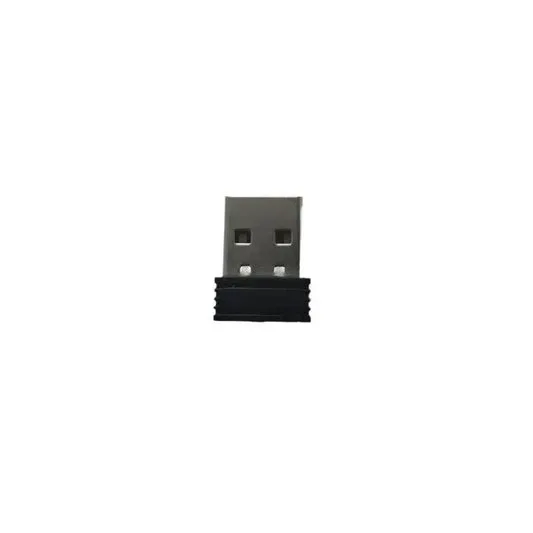
Keydous 2.4Ghz Dongle